


Health and Safety for Remote Workers UK: The 2026 Digital Guide
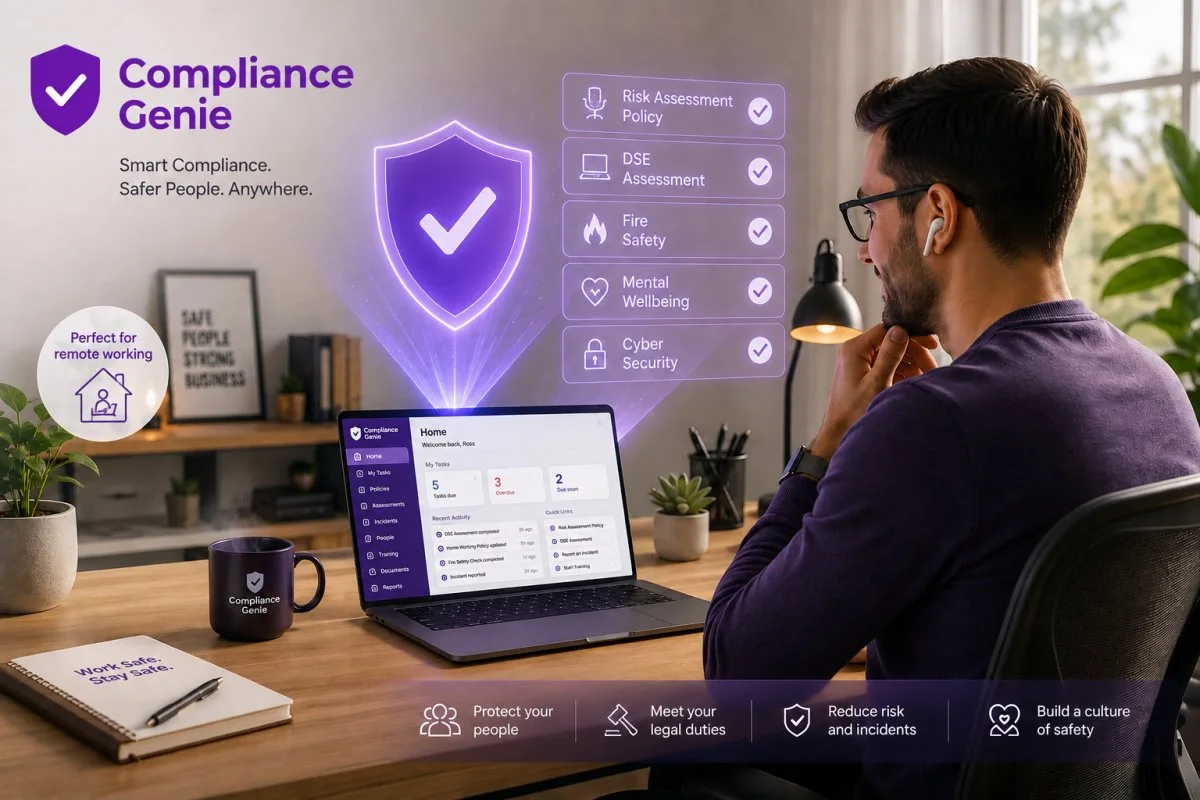
With 38% of the British workforce now operating in remote or hybrid roles as of early 2026, the traditional office safety inspection has effectively become a relic of the past. You likely feel the mounting pressure of ensuring health and safety for remote workers uk whilst staring at a growing list of overdue DSE assessments and worrying about potential HSE intervention. It’s a valid concern; managing the physical and mental wellbeing of a team you cannot see often feels like a constant struggle against administrative clutter and regulatory uncertainty.
We believe that your duty of care shouldn’t be a bureaucratic burden that slows down your operations. This guide will help you master your legal obligations and show you how to organise a digital-first safety strategy that protects your staff and your business. We’ll examine the latest HSE guidance from March 2026, simplify complex DSE requirements, and provide a clear roadmap for achieving total compliance through streamlined, mobile-first oversight. By the end of this article, you’ll have the tools to replace manual tracking with a reliable system that offers genuine peace of mind.
Key Takeaways
- Understand your ongoing legal obligations under the Health and Safety at Work etc. Act 1974 and how “duty of care” extends directly into the private home office environment.
- Identify the most critical physical and psychosocial risks facing remote staff, from ergonomic DSE issues to the mental health challenges of workplace isolation.
- Master a modern approach to health and safety for remote workers uk by replacing manual, paper-based tracking with a centralised digital compliance system.
- Implement a robust two-step protocol for remote workstation self-assessments and simplified accident reporting that keeps your safety records accurate and up to date.
- Discover how mobile-first tools like Compliance Genie can automate recurring safety tasks, ensuring your hybrid teams remain protected without increasing your administrative workload.
Understanding Your Legal Health and Safety Duties for Remote Workers
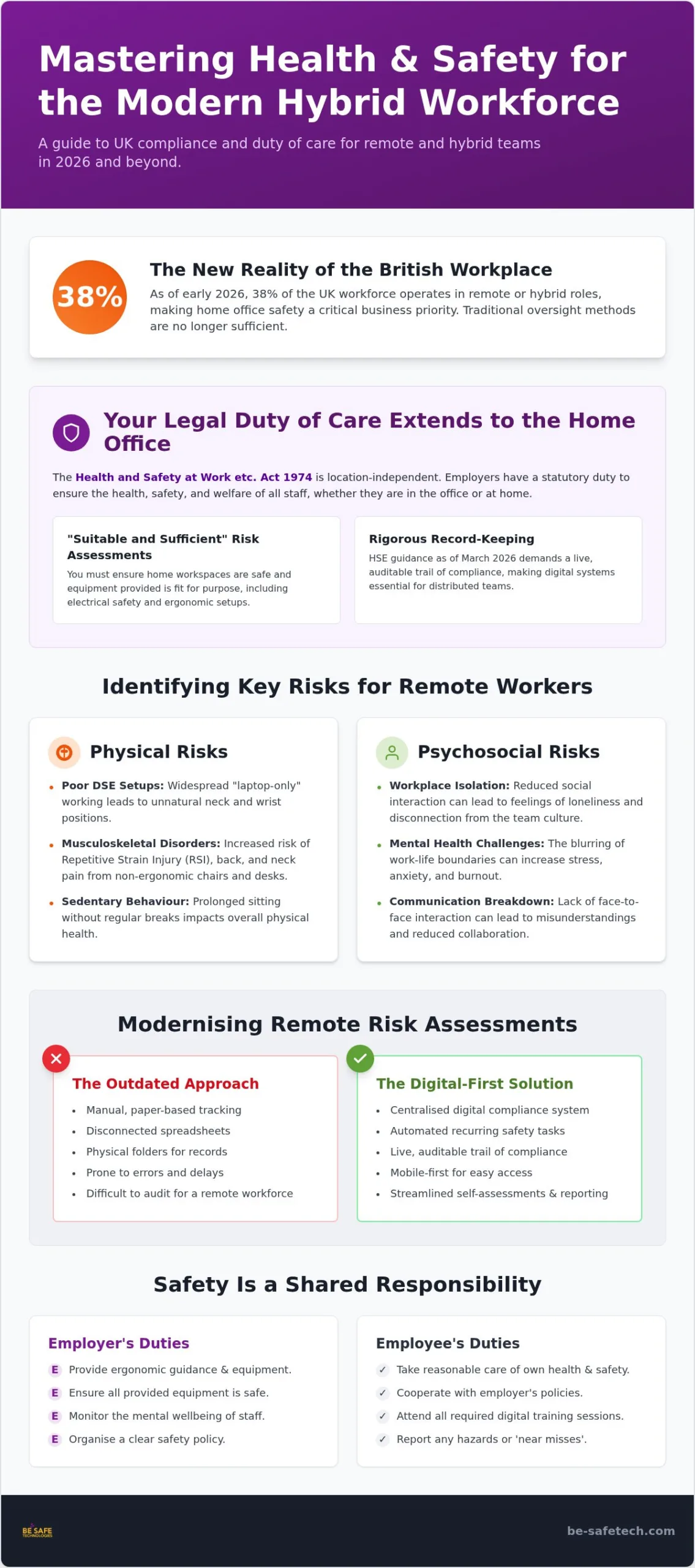
The transition to hybrid work has created a common misconception that the home office exists in a legal grey area. This isn’t the case. The Health and Safety at Work Act 1974 remains the cornerstone of UK workplace regulation, and its reach extends far beyond the traditional office walls. As an employer, your statutory duty to ensure the health, safety, and welfare of your staff is location-independent. Whether an employee is at a dedicated home office setup or a temporary workspace within their home, the law requires you to protect them from foreseeable risks.
Central to this obligation is the “duty of care,” which translates into a practical requirement for “suitable and sufficient” risk assessments. In the context of a private home office, you aren’t necessarily expected to visit every employee’s residence personally. However, you must ensure that their workspace is safe and that any equipment you provide is fit for purpose. This includes verifying that electrical items are safe and that the physical setup doesn’t lead to long-term musculoskeletal issues. Failing to manage health and safety for remote workers uk can lead to significant legal exposure, especially as the HSE continues to prioritise remote work compliance in 2026.
Employer vs. Employee Responsibilities
Responsibility for safety is a two-way street, though the legal burden of proof typically rests with the employer. You’re responsible for providing ergonomic guidance, ensuring equipment is safe, and checking in on the mental wellbeing of your team. Employees, however, have a legal duty to take reasonable care of their own health and safety. They must cooperate with your policies, attend digital training sessions, and report any hazards or “near misses” that occur at home. You can clarify these boundaries by including a specific section in your remote working policy that outlines how these shared duties are managed in practice.
Regulatory Compliance in 2026
Following the HSE’s March 2026 reminder regarding hybrid work standards, the expectation for rigorous record-keeping has never been higher. Relying on physical folders or disconnected spreadsheets is no longer a viable strategy for a distributed workforce. Leading organisations are now adopting paperless health and safety systems to maintain a live, auditable trail of compliance. This digital-first approach doesn’t just satisfy UK law; it aligns your business with ISO 45001 standards, proving to stakeholders that your safety culture is both modern and robust.
Identifying Key Health and Safety Risks for Remote IT Staff
While the legal framework provides a foundation, the actual hazards facing IT professionals at home are often less visible than those in a factory or a traditional office. Managing health and safety for remote workers uk in 2026 involves more than just checking for trip hazards; it requires a deep understanding of how digital work environments impact physical and mental health over time. For tech-heavy roles, the risks are frequently cumulative, stemming from prolonged sedentary behaviour and the unique pressures of distributed development environments.
A significant portion of remote IT staff, particularly developers and data analysts, fall into the trap of laptop-only working. Operating without a separate monitor, external keyboard, and mouse forces the neck and wrists into unnatural positions, which is a primary cause of Repetitive Strain Injury (RSI). These musculoskeletal disorders are amongst the most common reasons for lost working days in the UK tech sector. To mitigate this, employers must ensure that staff have access to ergonomic peripherals and conduct regular, documented DSE self-assessments to identify poor workstation setups before they lead to chronic pain.
DSE and Musculoskeletal Disorders
The hazards of laptop working are often underestimated by staff who value the flexibility of working from a sofa or a dining chair. However, without a dedicated ergonomic chair and a screen at eye level, the risk of developing long-term back and neck issues increases significantly. Documented self-assessments are the most effective way to identify these risks across a large, remote workforce. By requiring staff to submit photos or checklists of their setup, you can provide targeted advice and equipment where it’s needed most.
Mental Health and Cognitive Ergonomics
The “always-on” culture is a growing risk within high-pressure tech environments. When the home and office are the same place, the boundaries between work and rest often blur, leading to tech stress and eventual burnout. Isolation also plays a role; isolated workers lack the immediate social support found in a physical office, making it harder for managers to spot early signs of declining wellbeing. Implementing digital tools to monitor employee sentiment can provide a proactive way to address these psychosocial risks. Encouraging staff to take regular movement breaks is equally important for maintaining cognitive health and focus.
We must also consider the physical infrastructure of the home office. IT professionals often require multiple monitors and high-powered hardware, which can lead to overloaded electrical sockets and a tangled mess of cables. These are genuine fire and trip hazards. Remote workers are also legally classified as lone workers. Without a colleague nearby to help in an emergency, it’s vital to have a clear protocol for reporting accidents or health issues. Using a mobile-first platform like Compliance Genie allows your team to complete these safety checks and report incidents instantly, ensuring that safety remains a manageable part of their daily routine.
Digital vs. Paper: Modernising Remote Risk Assessments
Managing health and safety for remote workers uk using traditional paper-based methods is a logistical impossibility in 2026. With 38% of the British workforce now operating in remote or hybrid arrangements, the administrative burden of distributing and collecting physical risk assessments creates a significant compliance gap. If your safety data is trapped in a filing cabinet or a static spreadsheet, you lack the visibility needed to intervene when a hazard arises. Physical forms are difficult to track, easy to lose, and offer no real-time insight into the actual safety status of your distributed team.
Cloud-based workplace health and safety software transforms this process from a reactive chore into a proactive business asset. Instead of chasing individual employees for DSE updates, digital platforms allow you to see an instant snapshot of company-wide compliance. You can identify exactly who hasn’t completed their assessment and who has reported an ergonomic issue, all from a single dashboard. This real-time oversight is essential for maintaining the high standards expected by the HSE and ensures that your safety strategy is based on live data rather than outdated paperwork.
The Benefits of a Cloud-Based Safety Management System
By centralising safety records in a secure cloud location, you eliminate the risk of lost documentation and fragmented data. Ensuring remote workers access these systems over an encrypted connection—such as via VPN Secure—adds an essential layer of privacy to distributed operations. Automation plays a critical role here. The system can send recurring reminders for annual DSE reviews or electrical safety checks without any manual input. This reduces administrative overhead and ensures that no worker is left behind in your safety cycle. Moving to a digital system also lowers the environmental impact and physical storage costs associated with traditional paperwork, making your safety processes more sustainable and cost-effective.
Data Privacy and Security for Remote Staff
Handling the personal health data of remote employees requires a sophisticated approach to security. Home risk assessments often contain sensitive information about an individual’s physical health or mental wellbeing, making UK GDPR compliance a non-negotiable priority. Utilising ISO 27001 compliant safety software ensures that this data is protected by industry-leading encryption and access controls. For IT firms and corporate stakeholders, this certification provides the necessary reassurance that safety management doesn’t come at the expense of data integrity. It creates a secure environment where employees feel confident sharing the information you need to keep them safe.
A Step-by-Step Guide to Managing Remote Worker Safety
Transitioning from identifying risks to active management requires a structured approach. Whilst the legal obligations for health and safety for remote workers uk are clear, the practical application often stalls at the implementation phase. By following a methodical five-step process, you can transform your safety strategy into a streamlined digital operation that protects both your staff and your corporate liability. Successfully managing health and safety for remote workers uk depends on your ability to verify conditions without physically being there.
Step 1: Conduct a digital DSE self-assessment. Every remote workstation must be evaluated to ensure it meets ergonomic standards. Step 2: Implement a reporting protocol. Ensure employees know exactly how to document accidents or “near misses” that occur within their home office. Step 3: Organise support. Virtual ergonomic workshops and mental health check-ins help bridge the gap created by physical isolation. Step 4: Track equipment safety. Maintain a digital register of company-provided hardware, including PAT testing schedules and routine device upkeep—supported by automated patch management from Apptimized to keep remote machines secure and running smoothly. Step 5: Review annually. Your remote safety policy should be a living document that adapts to new HSE guidance and internal changes.
Conducting Effective Remote DSE Assessments
A successful DSE check relies on more than just a tick-box list. To gain a true understanding of a home setup, you should use health and safety risk assessment software that allows employees to capture photo evidence of their chair, desk, and screen height. This visual data enables you to provide actionable feedback rather than general advice. If a developer is working with their laptop on their knees, seeing the setup allows you to intervene with specific ergonomic solutions or equipment requests that prevent long-term injury.
Managing Remote Equipment and Maintenance
Providing hardware is only the first part of your duty; you must also ensure that equipment remains safe and fit for purpose over time. Tracking the maintenance of hundreds of distributed laptops and monitors is a complex task that benefits from a centralised oversight tool. You can use digital audit checklist software to verify that home offices meet basic fire safety standards and that company assets are being looked after. This system also simplifies the management of external IT contractors, ensuring that any repairs or site visits are documented and safety-checked. To see how these tools can revolutionise your compliance workflow, explore our full suite of SaaS safety solutions.
Future-Proofing Compliance with Compliance Genie
As we look toward the future of work in the UK, the complexity of managing a distributed team requires more than just good intentions. Compliance Genie offers a mobile-first approach to health and safety for remote workers uk, turning a reactive compliance task into a streamlined, automated process. By digitising the entire safety lifecycle, you can manage hundreds of remote employees simultaneously without the administrative friction that typically accompanies large-scale DSE reviews. This automation ensures that no member of your team is overlooked, regardless of their location.
The platform enables real-time hazard reporting, which means your safety officer is informed the moment a risk is identified. This immediate feedback loop is essential for maintaining a high standard of protection in a hybrid environment. With all data flowing into a single digital dashboard, you achieve total oversight of your workforce. This allows for evidence-based decisions rather than guesswork, providing the quiet confidence that your business is fully protected and compliant.
Streamlining IT Safety Processes
Compliance Genie is designed to eliminate the reliance on disparate spreadsheets and manual filing. This shift to a centralised system ensures your business remains “audit-ready” at all times. A single click can generate the necessary documentation for an HSE inspection, demonstrating a robust commitment to safety standards. You can also customise safety templates to reflect the specific needs of IT environments. This includes detailed ergonomic checks for dual-monitor setups or specific mental health check-ins for high-pressure development cycles, ensuring the tool adapts to your specific operational needs.
Next Steps for Your Business
The first step toward a more secure future is assessing your current compliance gap. Many businesses find that whilst they have policies in place, the actual execution of home risk assessments is often inconsistent or outdated. Integrating digital tools like Compliance Genie into your existing HR and IT workflows creates a seamless experience for both managers and staff. It simplifies the reporting process and reduces the stress associated with complex regulatory environments. If you’re ready to reduce your administrative burden and improve the wellbeing of your team, you should organise your remote safety strategy with a Compliance Genie demo.
Securing the Future of Your Hybrid Workforce
The transition to hybrid work has redefined the boundaries of the workplace, but it hasn’t changed the fundamental legal duties you hold as an employer. Successfully managing health and safety for remote workers uk requires a transition from reactive paperwork to a proactive, digital-first mindset. By centralising your DSE assessments and hazard reporting, you move away from administrative clutter and toward a culture of genuine protection and operational clarity.
As an award-winning UK safety platform, Compliance Genie provides the tools you need to maintain total oversight. Our software is ISO 27001 and 9001 certified for maximum security, ensuring your sensitive data remains protected whilst you focus on team wellbeing. It’s a system already trusted by leading UK multi-site organisations to bridge the gap between corporate headquarters and the home office.
Discover how Compliance Genie simplifies health and safety for remote workers and start building a safer, more compliant environment for your team today. You’ve built a modern workforce; now it’s time to give them the modern safety support they deserve.
Frequently Asked Questions
Is a risk assessment mandatory for employees working from home in the UK?
Yes, conducting a risk assessment is a mandatory legal requirement for any employee working from home. Under the Management of Health and Safety at Work Regulations 1999, you must identify foreseeable hazards and implement measures to reduce those risks. For many low-risk office roles, a guided self-assessment completed by the employee is often sufficient to meet your statutory obligations.
Do I legally need to carry out DSE assessments for remote workers?
You are legally required to carry out DSE assessments for remote workers who use display screen equipment habitually for a significant part of their working day. The Health and Safety (Display Screen Equipment) Regulations 1992 apply regardless of whether the work is performed in a central office or a home environment. This process ensures workstations are ergonomically sound and helps prevent long-term musculoskeletal issues.
How often should home office equipment be PAT tested?
There is no strict legal frequency for PAT testing, but you must ensure all electrical equipment provided is maintained in a safe condition. Most UK organisations adopt a risk-based approach, often testing portable items like laptop chargers every 12 to 24 months. You can manage these recurring schedules through a digital register to ensure no device misses its safety check.
What equipment must an employer provide for remote workers under UK law?
UK law requires you to provide equipment that is safe and fit for purpose, although it doesn’t explicitly list every individual item. If a DSE assessment identifies a specific need for a separate monitor, keyboard, or ergonomic chair to prevent injury, you’re responsible for providing these. You must ensure that the tools provided allow the employee to work without compromising their health or safety.
How can I manage the mental health of remote staff effectively?
Effective mental health management involves including psychosocial risks in your standard risk assessments. You should establish regular communication channels to reduce feelings of isolation and monitor for signs of tech stress or burnout. Providing access to mental health first aiders and encouraging clear boundaries between work and home life are essential strategies for maintaining a healthy remote culture.
Can I use digital software to replace paper risk assessments?
You can certainly use digital software to replace paper-based assessments, and it’s often the most efficient way to manage health and safety for remote workers uk. Digital systems provide a secure, time-stamped audit trail that is much easier to manage than physical folders. Using a mobile-first platform allows staff to submit their checks instantly, giving you a live view of your company’s compliance status.
What are the main health and safety risks for remote IT workers?
The primary risks include musculoskeletal disorders from poor ergonomic setups and tech stress caused by an “always-on” culture. Electrical safety is another concern, as home offices often involve multiple high-powered devices and overloaded sockets. Addressing these requires a combination of proper equipment provision, regular DSE reviews, and proactive wellbeing support to prevent long-term health issues.
Does an employer need to visit a remote worker’s home for a safety check?
In most cases, you don’t need to physically visit a remote worker’s home for a safety check. For low-risk office work, the HSE suggests that a properly guided self-assessment is sufficient to meet your duty of care. If the assessment reveals significant risks that cannot be resolved remotely, you might then consider a more detailed review, but this is rare for standard IT and administrative roles.