



Choose lone worker app features for remote staff safety
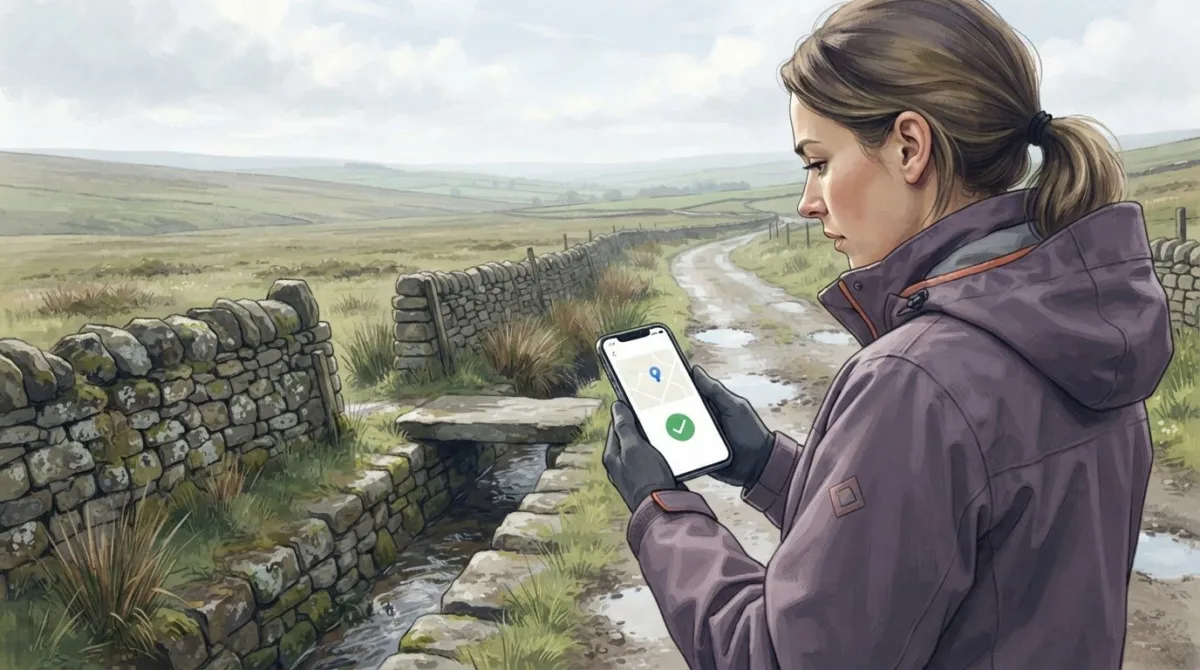
More tracking doesn’t automatically mean better protection. A lone worker app for remote staff should match the risks of the work, with useful location monitoring, a clear emergency alarm and a defined response if someone misses a check-in. UK employers aren’t legally required to use a specific app, but the Health and Safety at Work etc. Act 1974 requires them to protect employees’ health, safety and welfare so far as reasonably practicable, and the Management of Health and Safety at Work Regulations 1999 require workplace risks to be assessed, including lone-working risks.
When staff work away from colleagues or direct supervision, it’s understandable to want reassurance that they can call for help without turning safety into constant surveillance. The right features depend on where and how people work, how an alert reaches someone able to respond, and what location information is collected.
This guide compares GPS monitoring, emergency alarms and missed check-in procedures, and explains what employers should consider in risk assessments and when addressing worker privacy. It gives you a practical basis for choosing an app that supports staff and fits your organisation’s safety arrangements.
Key Takeaways
- Match check-in schedules and escalation steps to the risks of each role, rather than choosing an app by feature count alone.
- Assess how mobile coverage, battery use and location updates affect workers in remote areas.
- Choose an alarm response pathway that fits the situation, including who receives alerts and whether discreet alarms or fall detection are needed.
- Set clear expectations for location monitoring by explaining when it operates, what data it collects and who can access it.
- Explore how Compliance Genie can support health and safety processes and risk assessments, while Contractor Genie manages contractor activity and site visits.
What is a lone worker app?
A lone worker app helps staff check in, share their location and raise an alert when working without close supervision. The Health and Safety Executive defines lone workers as people working by themselves without close or direct supervision. A lone worker app for remote staff can organise check-ins and alerts, but its value depends on the agreed response workflow. Apps differ in how they schedule confirmations and escalate missed responses; user reviews can help assess usability.
Lone-worker check-in and escalation workflows
A scheduled workflow asks a worker to confirm they’re safe by a set time. If they miss that check-in, the system can alert a named contact or start an agreed escalation process. This creates a recorded sequence rather than relying on someone to remember each call. For example, a team of ten workers checking in once an hour would generate 80 check-ins a day.
Some messaging apps can share live location for 15 minutes, 1 hour or 8 hours. That can suit a short task, but the organisation still needs to decide who notices a missed check-in and what happens next. A lone worker app for remote staff can connect timed check-ins with an escalation workflow, rather than relying on location sharing alone.
Phone and SMS check-ins
Phone or SMS check-ins are alternatives when mobile data is limited or an app is impractical. A worker can call or text a supervisor at an agreed time, then follow the organisation’s escalation steps if contact is missed. Calls and texts still depend on a usable mobile signal, so they don’t eliminate coverage limits.
Unlike a timed app workflow, a manual call or text may require someone to track expected contacts. A simple schedule, named recipient and follow-up action make responsibilities clear. For example, a supervisor can record each expected check-in and act if a worker’s message doesn’t arrive.
Immediate help and scheduled check calls
An immediate help option lets a worker raise an alert when assistance is needed, rather than wait for the next scheduled check. The alert should trigger a defined response, such as contacting a named colleague or following the organisation’s emergency procedure.
Scheduled check-ins create regular contact, while an immediate alert can be used between checks. The methods can work together: calls confirm wellbeing, and an alert gives staff another way to request help.
| Option | Check-in method | Location or escalation |
|---|---|---|
| Messaging app | Manual message | Live location sharing may be time-limited |
| Timed lone-worker app | Scheduled confirmation | Missed check-in can trigger an agreed alert |
| Phone or SMS | Call or text to a contact | Follow-up depends on the agreed process |
Choose an option that fits the task, signal conditions and response workflow, not just the check-in method.
Lone-worker location monitoring and GPS tracking
Location monitoring can help an organisation establish where a worker is when an alert arrives. Its value depends on the freshness of the location data, mobile coverage and a clear response process.
GPS tracking and what3words integration
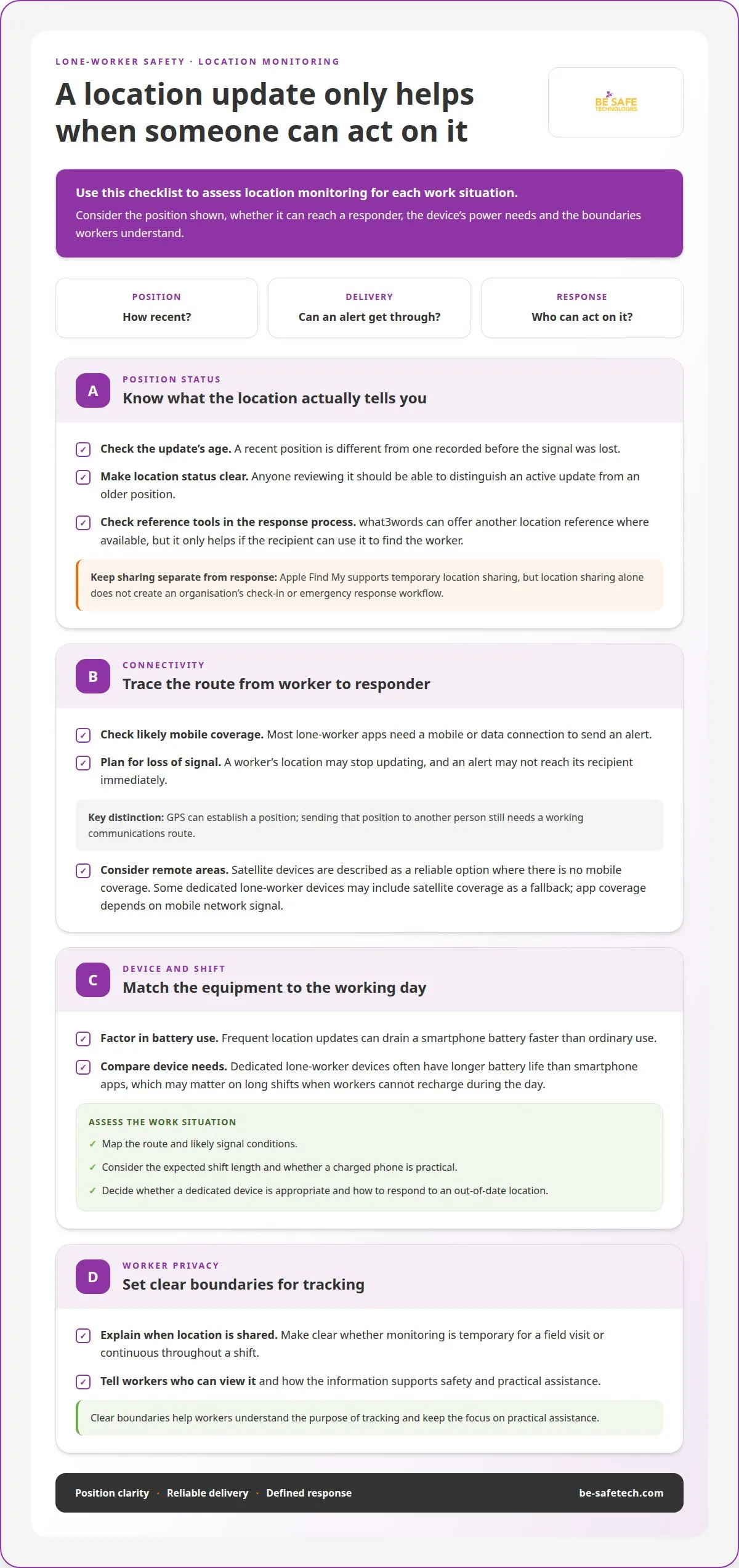
GPS tracking uses a phone’s location information to show a worker’s position on a platform. A location update can help responders direct assistance, but its status matters: a recent position is different from one recorded before the signal was lost.
Where available, what3words integration offers another way to communicate a location reference. Consider how the feature fits the response process: a reference only helps if the person receiving it can use it to find the worker. Apple Find My also supports temporary location sharing, but sharing a location alone doesn’t set up an organisation’s check-in or emergency response workflow.
Battery, connectivity and location status
Most lone-worker apps need a mobile or data connection to send an alert. If a worker loses coverage, their location may not update and an alert may not reach its recipient immediately. The platform should make location status clear, so anyone reviewing it can distinguish an active update from an older position.
Frequent location updates can drain a smartphone battery faster than ordinary use. Dedicated lone-worker devices often have longer battery life than smartphone apps. This matters on long shifts, especially when workers can’t recharge during the day.
For remote locations without mobile coverage, satellite devices are described as a reliable option. Some dedicated lone-worker devices may include satellite coverage as a fallback, whereas app coverage depends on mobile network signal. The distinction matters: GPS can establish a position, but sending it to another person still requires a working communications route.
Assess each work situation by mapping the route, likely signal conditions and expected shift length. Then consider whether staff carry a charged phone, whether a dedicated device is appropriate, and how the organisation will respond to an out-of-date location. This helps establish whether an app alone is suitable for the task.
Location monitoring also affects how workers experience lone working. Explain when location is shared, who can view it and how the information supports safety. For example, temporary sharing during a field visit differs from continuous monitoring throughout a shift. Clear boundaries help staff understand the purpose of tracking and keep the focus on practical assistance.
Panic alarms and configurable responses
An emergency alarm lets a worker request assistance during an incident. Its value depends on who receives the alert and what response follows.
Alarm response and monitoring options
Alarm response options range from alerts sent to a named colleague to escalation through a monitoring centre. A named contact may suit an organisation with a clear internal response rota; a centre provides a separate route for receiving alerts. Decide who is responsible at each stage, including when the first recipient doesn’t respond.
Some apps can hold an alarm and resend it when a signal returns. This can help where mobile reception drops, but it doesn’t replace a response plan for a worker who needs immediate help.
Emergency alarms and 24/7 monitoring
An emergency alarm lets a worker signal a problem rather than wait for a scheduled check. With 24/7 monitoring, a staffed team can receive alerts at any time and follow agreed escalation steps. Without a monitoring centre, alerts may go to named contacts, so the organisation needs to define who receives them and how cover is maintained.
Check how the process handles a missed check-in: it may escalate to a named emergency contact or a 24/7 monitoring centre. Durham County Council has a security-company contract to carry out an immediate search when a lone-worker incident or emergency is escalated, showing how response arrangements can extend beyond receiving an alert.
Discreet alarms and fall detection
A discreet alarm is designed for situations where making an obvious call for help could be difficult. Workers should understand how to activate it, what happens next and whether they can cancel an accidental alert. This makes the feature usable during real work, not just during training.
Some lone-worker apps use an accelerometer to detect a man-down event and trigger an automatic alert. This differs from a manual panic alarm, which the worker activates. Detection can support personal safety if someone cannot reach their phone, but false alerts need a clear handling process.
Before choosing, map each alarm type to a response: identify who receives it, what action they take and how they update others. Include signal loss in the procedure, since an app may need to resend an alarm once connectivity returns. A defined sequence helps lone workers understand how to raise an emergency and helps the organisation coordinate assistance.
Employer risk assessment and duty of care
UK employers must manage lone-working risks before selecting an app. According to UK legislation, the Health and Safety at Work etc. Act 1974 requires employers to protect employees’ health, safety and welfare so far as reasonably practicable, including employees who work alone. According to UK legislation, the Management of Health and Safety at Work Regulations 1999 require employers to assess workplace risks, including risks associated with lone working.
Start with the work, not the software. Assess each environment, task and employee’s level of supervision. Someone visiting unfamiliar properties faces different situations from someone working alone in a fixed office. Record hazards, who could be affected, existing controls and any further action needed. Review the assessment when duties, locations or working arrangements change.
Use the findings to decide whether an app is a suitable control measure. Consider whether employees need regular check-ins, an emergency alert, location monitoring or a different response arrangement. An app can support safety procedures, but it doesn’t replace a risk assessment. For example, poor mobile coverage may mean an app alone cannot meet the communication needs identified for a remote route.
Make the response plan specific. Name who receives an alert, what they do next and how they escalate a missed check-in. Set out how employees can request assistance, what happens if the first contact is unavailable, and how incident details are recorded. Training should explain these steps and let workers practise before relying on the process while working alone.
For 2025/26 budgeting, lone-worker apps are usually priced per user per month. Costs vary with employee count, monitoring level, contract length, and any need for dedicated devices or satellite coverage. App-only plans tend to cost less than device plans, while alarm receiving centre monitoring adds to the price. Compare like for like: use the same number of users, monitoring level and contract term for each quote.
Duty of care also involves reviewing whether controls work in practice. A missed alert, changed work pattern or incident can show that the assessment or response process needs updating. Record the issue, consider what it reveals about the original risks, then revise procedures and communicate changes to affected employees. This keeps the app within a wider risk management system, rather than treating it as a standalone answer.
Worker privacy and employee-enabled monitoring
Monitoring should support lone worker safety without collecting more location information than the response process needs. Explain when tracking operates, who can see it and how an employee can raise an alert.
Emergency response and monitoring services
An alert can go to a named colleague or a monitoring service. The first option keeps the response within the organisation; a service provides an external recipient for alarms. Agree who must respond, what information they receive and how they escalate an incident if the worker doesn’t reply.
Most apps run on iOS and Android, but the response process matters more than the handset. Explain which alerts are monitored, and distinguish emergency use from routine location checks.
Control centre monitoring
Some lone worker services offer monitoring by a team staffed 24/7. A control centre can receive alerts beyond an organisation’s normal office hours, unlike a process that relies on an employee’s manager being available. The service level and escalation steps determine what happens after an alert reaches the centre.
Before adopting this approach, define what staff should expect the centre to do and what information it needs. Make the instructions clear on each device, so workers know how to request assistance and what happens next.
Employee-enabled monitoring can make location sharing more transparent. For example, a worker could activate sharing for a work task, with the organisation explaining when it ends and which roles can view the information. Clear boundaries help staff understand the purpose of monitoring and distinguish safety-related use from unrelated tracking.
Set out the monitoring arrangement in plain language before use. Explain what triggers location access, how alerts are handled and who can review records. Include a practical example, such as a field visit where the worker shares their location during the visit and uses an emergency alert if they need help. This gives employees a clear picture of the process.
Costs depend on monitoring level, contract length, number of users and whether dedicated devices or satellite coverage are needed. Lone-worker apps are usually priced per user per month; app-only plans tend to cost less than device plans, while alarm receiving centre monitoring adds to the price.
For a fair comparison, use the same employee count, contract term and monitoring level across quotes. Then consider the work pattern: an organisation needing alerts received outside office hours may weigh centre monitoring differently from one using named internal contacts. This keeps cost decisions connected to lone worker safety and the response staff need.
Be-Safe Technologies Ltd
Be-Safe Technologies Ltd supports organisations looking to manage health and safety information alongside their approach to lone working. A lone-worker app can address specific alert and check-in needs, while broader systems help manage processes around workplace risks. Compliance Genie is SaaS health and safety software for digitising and managing health and safety processes and risk assessments. It may suit an organisation that wants to manage these processes in a structured digital platform.
This can help organisations review how risk information is created, managed and kept accessible. Compliance Genie focuses on health and safety processes rather than providing a dedicated lone-worker alarm service. That distinction clarifies what each system does: an app may support worker alerts, while health and safety software supports the management of wider processes.
Contractor Genie addresses a separate operational need. It is SaaS contractor management software that manages a company’s contractors and their site visits in one place. Organisations coordinating external workers can use it as part of their wider safety arrangements, while keeping contractor administration distinct from the specific monitoring functions required for lone workers.
For example, a business might need to manage health and safety processes for its employees while also organising contractor information and site visits. Compliance Genie and Contractor Genie address those respective areas. They don’t replace decisions about how lone workers check in, raise an alarm or receive assistance; those decisions belong in the organisation’s safety arrangements.
To decide which platform is relevant, identify the administrative process you want to improve. If the focus is managing health and safety processes and risk assessments, Compliance Genie may fit. If the priority is managing contractors and site visits, Contractor Genie may be more relevant. This connects the software decision to the task the organisation needs to manage.
Be-Safe Technologies Ltd offers these platforms for health and safety and contractor management. To discuss which may fit your organisation’s requirements, contact Be-Safe Technologies Ltd.
FAQs
Can staff use their own phones?
Staff can use personal phones if the chosen app supports them and the organisation’s policy allows it. Set expectations before installation: explain the app permissions required, whether location sharing applies only during work, and who can access safety information. Also agree what happens if a worker changes phones, removes the app or has a device fault. A separate work device may suit roles with stricter information-security needs.
How do you manage the wellbeing of remote staff?
Support remote wellbeing through planned conversations, manageable workloads and clear ways to raise concerns. Managers can ask about workload, isolation and access to practical support during regular one-to-ones. Team meetings also help remote employees stay in touch with colleagues. Keep these conversations distinct from safety monitoring: a location update cannot show whether someone feels supported or overloaded. Follow up concerns with agreed actions and revisit them later.
What is a Remote Worker App?
A remote worker app is software on a mobile device that helps someone work away from a central workplace. It may organise tasks, share work information or support communication. The term is broad, so an app’s function depends on how the organisation uses it. For instance, someone working from home may need tools for everyday work, while an employee visiting sites may need different support.
What features should a lone worker app have for remote staff?
Judge whether employees can use the app easily during their actual work, not just in a demonstration. Ask a small group to try realistic tasks and note confusing screens, access barriers or interruptions. Consider whether the app suits the devices staff already use and whether its instructions are clear under pressure. Their feedback can help separate essential functions from features with little practical value.
What are the best lone worker apps available in the UK?
The best option is the one that fits the organisation’s work and employees’ needs. Rather than relying on a general ranking, test shortlisted apps with the people who will use them. Include workers with different roles and phone habits, then gather feedback on ease of use and confidence in the process. A limited pilot can reveal training needs and practical obstacles before a wider introduction.
How much do lone worker apps cost in the UK, and what are the pricing plans?
Pricing plans vary, so assess the full arrangement rather than comparing a headline rate alone. Establish whether the proposal covers software access, monitoring arrangements and any equipment separately, then note any initial setup or training charges. Forecast costs against expected use and staff changes. Ask for the billing period and renewal terms in writing, so the budget reflects the full contract commitment.
How does a lone worker app check in on staff and raise an SOS alert?
The exact process depends on the app, so staff should practise it before relying on it at work. Run a planned test with the intended recipients, confirm they recognise the alert and record any gaps in the response procedure. Explain how workers can distinguish a test from a genuine emergency, and who can answer questions about using the app. Practise again when the process or staff roles change.
What UK legal duties do employers have to protect lone workers?
UK employers must protect employees’ health, safety and welfare so far as reasonably practicable, and assess risks linked to lone working. The law doesn’t prescribe a particular app. Employers should choose controls that address the actual work, explain them to staff and review them when tasks or conditions change. A digital tool can support those arrangements, but responsibility for managing workplace risks remains with the employer.