


Civils Compliance Software: Guide for UK Contractors
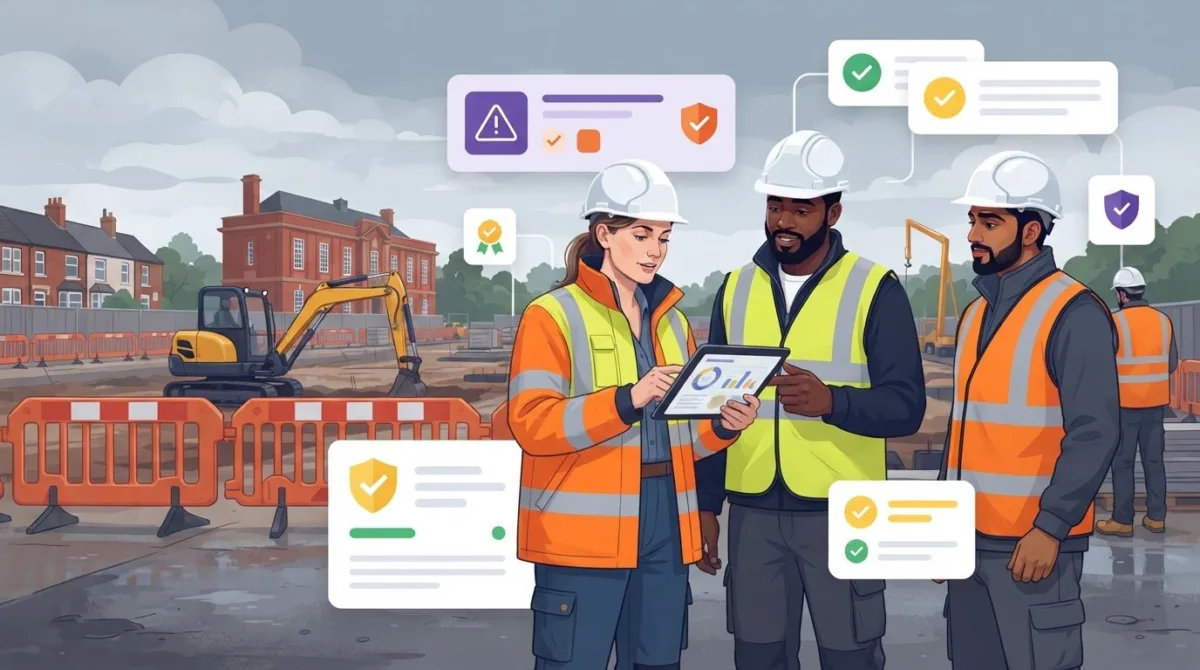
What if the main challenge in managing civils site safety isn’t creating paperwork, but finding the right evidence when teams need it? Paper records and disconnected tools can scatter information across folders, devices and email threads. Civils compliance software can bring health and safety processes and risk assessment records into a more organised digital approach, provided it works for people on site and in the office.
That practical fit matters. Workers need straightforward processes suited to site conditions, while managers need a clear way to review information across projects. Before choosing a platform, identify what teams need to record, who needs to review it and how the information supports your existing procedures.
This guide explains which civils workflows software can help organise and what to assess before choosing a platform. It covers usability, information management, security and adoption. Be-Safe Technologies Ltd’s mobile-first, cloud-based Compliance Genie supports digitised health and safety processes and risk assessments, helping organisations manage these records digitally.
Key Takeaways
- Understand what civils compliance software can organise, and why it supports rather than replaces competent people and safe working practices.
- Identify which workflows, from risk assessments to follow-up actions, could benefit from a more consistent approach.
- Compare platforms by practical fit, including mobile access, usability, information security and implementation.
- Plan a gradual introduction, starting with process mapping and a small pilot before considering wider adoption.
- See how Compliance Genie’s mobile-first, cloud-based approach supports digital health and safety processes and risk assessments.
What Is Civils Compliance Software, and Which Site Challenges Can It Address?
Civils compliance software helps organise and record health and safety processes and related compliance information for civil engineering work. It gives teams a structured way to manage records, making information easier to find and review. The processes supported depend on the platform, so start by defining what your organisation needs to manage.
Paper forms and separate tools can leave information spread across folders, devices and email threads. A consistent digital process can reduce that fragmentation by giving records a clearer structure and making it easier to see what has been recorded and where follow-up may be needed. Digital models of physical assets serve a different purpose from health and safety process management, even when both types of information relate to the same project.
How Is Civils Compliance Software Different from General Field Software?
General field software often focuses on coordinating operational work, such as activities, people or project information. Compliance software focuses on health and safety processes and the evidence associated with them. The categories can overlap: both may include mobile forms or shared project information. Compare platforms against your actual safety processes rather than assuming that every system includes the same civils-specific functions.
Why Do Site and Office Teams Need Shared Compliance Information?
Site teams record information close to the work, while office teams need to review it and coordinate what happens next. If records arrive late or sit in different places, it can be harder to see what has been completed and what needs attention. A shared, organised process can support follow-up across projects, while leaving responsibility for assessing conditions and making decisions with the people involved.
For example, a UK civils contractor carrying out drainage work across multiple sites may want teams to record relevant risk assessments and safety information consistently. A shared process can help office staff review records and coordinate follow-up, while site workers follow procedures suited to the task in front of them. The aim is not to add paperwork, but to make essential information easier to manage across teams.
Which Civils Workflows Can Compliance Software Help Organise?
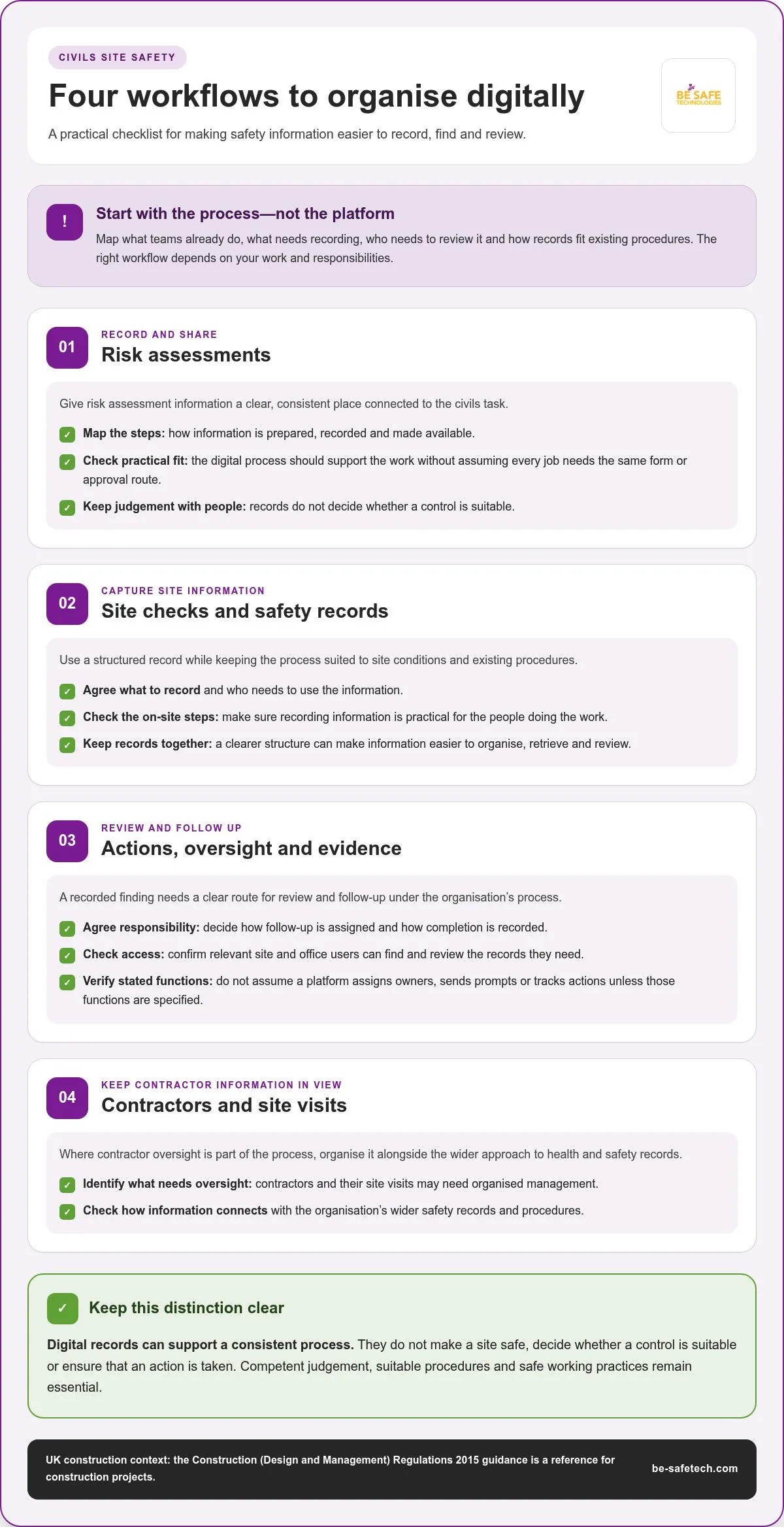
Start with the work your teams already do, then identify where records need a clearer, more consistent home. Common workflow areas for civils contractors include risk assessments, safety records, site inspections and follow-up actions. Contractors and their site visits may also need organised oversight. The right mix depends on your work, responsibilities and existing procedures. The Construction (Design and Management) Regulations 2015 guidance provides a UK reference for the regulatory context of construction projects.
Digital records can make site information easier to organise, retrieve and review, but people still need to assess conditions and act on what they find. Software can provide a consistent way to record information; it can’t make a site safe or decide whether a control is suitable.
Risk Assessments, Site Checks and Safety Records
Digitising a process can help workers capture information in a structured format and keep related records together. For example, map how risk assessment information is prepared, recorded and made available to people involved in a civils task. Then assess whether a digital workflow supports those steps without assuming that every job needs the same form or approval route.
Apply the same approach to site checks and safety records. Agree what information needs recording, who needs to use it and how it fits current procedures. Then consider whether a digital workflow makes those steps practical for site teams. This provides a sound basis for exploring digital health and safety processes without adding unnecessary steps.
Actions, Project Oversight and Evidence
A recorded finding is useful only if the right person can review it and follow the organisation’s process for deciding what happens next. Agree how responsibility for follow-up is assigned and how completion is recorded. A digital record can preserve information, but it doesn’t ensure that an action is taken.
For managers, check whether relevant information is accessible to its intended users across site and office teams. Consider how records are grouped, found and reviewed, and whether the approach works across the projects in scope. Distinguish between keeping a digital record and automated tracking. Don’t assume a platform assigns owners, sends prompts or tracks actions unless those functions are specified. Mapping the workflow helps show what to digitise, where human judgement is needed and which procedures must remain in control.
Where contractor oversight is part of the process, Contractor Genie provides a central place to manage a company’s contractors and their site visits. Similarly, for managing subcontractor and supplier intake, platforms like Cateno enable organisations to streamline entity onboarding through customisable workflows. This can sit alongside the organisation’s wider approach to health and safety records.
How to Compare Civils Compliance Software Without Relying on Headline Claims
Compare platforms against the work your teams need to manage, not just a feature list or headline percentage. Map a few everyday processes, such as completing a risk assessment, recording a site check or reviewing a finding. The Construction (Design and Management) Regulations 2015 guidance provides UK context for construction health and safety. Your software choice should also reflect your organisation’s procedures and project needs.
Buying principle: compare evidence against operational requirements, not headline percentages. A supplier’s performance claim may describe one customer or setting, rather than predict the result for your projects. For example, Ctrl-Hub claims a 35% reduction in administration time. Treat this as an attributed claim, not a guaranteed outcome. Without a published method and a comparable baseline, it can’t show what your organisation will achieve.
Record your current position before adoption. Note the time spent on administration, how long it takes to retrieve a required record and how consistently key processes are completed. These measures provide a practical baseline for reviewing the change later.
| Evaluation area | What to assess |
|---|---|
| Workflow fit | Can the platform represent the safety processes your civils teams already follow? |
| Mobile access | Can intended users record or review information away from an office in a way that suits site work? |
| Information security | How does the supplier address the security of information held in the service? |
| Usability | Can workers and managers follow the relevant process without unnecessary complexity? |
| Implementation | What preparation, user guidance and process changes will be needed to introduce the platform? |
Check the Experience for Site Users and Managers
Check whether everyday site processes can be represented clearly and how mobile-first access supports people who need to record or review information away from an office. Ask intended users to complete a typical workflow and note any unclear instructions or steps. The process needs to make sense to the people expected to use it.
Assess Security and Supplier Assurance
Information security and supplier quality are separate from whether your organisation meets its legal responsibilities. ISO 27001 is an information security management certification, while ISO 9001 relates to quality management. Be-Safe Technologies Ltd holds both certifications. They apply to the organisation’s management systems, not certification that the software itself ensures legal compliance.
How Can You Introduce Civils Compliance Software Without Disrupting Site Work?
Digitising compliance doesn’t require changing every site process at once. A staged introduction lets teams focus on one workflow, learn from its use and make adjustments before extending the approach. Keep existing responsibilities and safe working procedures clear throughout.
A measured rollout can follow five steps:
- Map the process. Involve site users and managers. Describe the task, the terms they use and how information passes between people.
- Choose a starting point. Select a manageable process, such as recording a routine site check, that matters to the team and can be reviewed clearly.
- Set success measures. Agree what a useful result looks like before the pilot. Possible indicators include record completion and the time needed to locate information.
- Run a small pilot. Include representative site and office users, then gather feedback on clarity, access and how well the digital process fits the work.
- Review and expand in stages. Compare the agreed indicators with your baseline, address practical issues and extend to another workflow when the team is ready.
What Should a Civils Software Pilot Include?
Keep the pilot focused on a real task rather than testing every possible use at once. For example, trial how information for a recurring site process is recorded and then reviewed by office staff. Define the intended outcome in advance, involve the people who will use the process and gather feedback from both groups. Avoid promising a particular result or assuming a fixed implementation period. The value of a pilot is in testing the workflow in your own operating conditions.
How Can Teams Build Consistent Digital Habits?
Explain each step in plain language and provide guidance that matches each user’s role. Site workers need to understand what information to record and when; managers need to know how to review it and follow existing procedures. Set regular review points to identify unclear terms, awkward hand-offs or unnecessary steps, then refine the workflow based on actual use. This approach can also help structure a move from paper risk assessments to digital records.
Use the pilot to make civils compliance software fit the work, rather than forcing teams into a wholesale process change. Explore digital health and safety software as part of planning a more organised approach.
How Compliance Genie Supports a More Organised Digital Approach
Once you’ve mapped important workflows and considered how to introduce them, assess a platform against those needs. Compliance Genie is Be-Safe Technologies Ltd’s health and safety SaaS platform for digitising health and safety processes and risk assessments. Its mobile-first, cloud-based approach supports organisations in managing these processes digitally. It can help connect the people recording information with colleagues who need to review it, supporting clearer processes across site and office teams.
Where Compliance Genie Fits in a Civils Compliance Approach
Compliance Genie’s mobile-first approach is designed for use across different work settings, including when users need to engage with health and safety processes away from an office. Cloud-based processes support coordination between site and office teams, while access in practice depends on conditions at the point of use. The platform helps organise how safety information is recorded and managed, but it doesn’t replace competent people, project procedures or decisions made in response to site conditions.
Start by examining your current workflow. For a risk assessment process, identify what information needs recording, who needs to use it and how it moves between the people involved. Then consider whether a digital approach supports those steps, recognising that civils activities may follow different processes. Learn more about Be-Safe Technologies Ltd’s health and safety compliance software.
What to Do Next When Evaluating a Digital Approach
Choose one existing process and map it from start to finish. Note the information teams need to manage, the people who record or review it and where hand-offs occur. This provides a practical starting point for assessing how Compliance Genie could support digitised health and safety processes and risk assessments. Consider how a mobile-first, cloud-based system fits the working context of the people who will use it.
Keep the evaluation grounded in your requirements. Compare the current process with the digital approach, identify what users would need to do differently and agree how to review whether the new method is working. The goal is a well-organised process that supports coordination between site and office teams, not digitisation for its own sake.
Explore Compliance Genie to see how a digital approach could fit your health and safety processes and risk assessments.
Make Your Next Compliance Process Easier to Manage
Effective civils compliance software connects site records with clear processes and useful oversight, while leaving safe working decisions with competent people. Start with your actual workflows: map the information teams need, assess usability for site and office staff, and compare platforms against practical requirements rather than headline claims.
A measured rollout helps keep change manageable. Begin with one process, involve the people who use it and agree how to review the results before expanding. This gives your organisation a practical way to improve record-keeping and identify where digital support can make information easier to manage.
Compliance Genie is Be-Safe Technologies Ltd’s mobile-first, cloud-based health and safety platform for digitising safety processes and risk assessments. Be-Safe Technologies Ltd holds ISO 9001 and ISO 27001 certifications, relating to quality management and information security management respectively. These credentials are distinct from certification of the software for legal compliance.
Explore Compliance Genie for digital health and safety management and consider how it could fit your processes. Start with a workflow your teams need to manage, then assess whether a digital approach supports it.
Frequently Asked Questions
What is civils compliance software?
Civils compliance software is a digital platform for organising health and safety processes in civil engineering work. It can help teams digitise risk assessments and related records, making information easier to organise and review. It supports management processes but doesn’t replace competent judgement, safe working practices or applicable legal duties. The available processes and tools depend on the platform.
What features should civils compliance software include?
The right features depend on the workflows your organisation needs to manage. Assess whether a platform supports those processes clearly, considering mobile access, digital health and safety processes, risk assessments, organised records, usability and information security. Compare stated capabilities with what site and office teams need to do. Don’t assume that every product includes the same tools or suits the same working practices.
Can civils compliance software help with CDM compliance?
Software can support the organisation of health and safety information and related processes, but it can’t by itself make a project compliant with the Construction (Design and Management) Regulations 2015. Relevant responsibilities depend on the project and the roles involved. Use current Health and Safety Executive guidance and competent advice to understand what applies, then assess whether digital processes can help your teams manage and review relevant information.
Can site teams use civils compliance software on a mobile device?
Some platforms are designed for mobile use, allowing staff to engage with digital processes away from an office. The experience and functions differ between products. Compliance Genie is mobile-first and supports digitised health and safety processes and risk assessments. Mobile-first access doesn’t necessarily mean a platform works offline. Connectivity requirements and available functions depend on the software and conditions where it’s used.
Will introducing civils compliance software disrupt site work?
Introducing software needn’t mean changing every site process at once. Map a current workflow, choose a manageable process to pilot and involve site and office users in testing it. Gather feedback and agree how to review progress before expanding to other processes. Clear instructions can help users understand the new approach. The effect depends on your existing procedures, rollout and user needs.
How do you measure the value of civils compliance software?
Set a baseline before implementation, using measures that reflect your current processes. These could include the time spent locating records, completion of agreed processes or administrative effort. After users have adopted the platform, compare results with that starting point and consider differences between projects and levels of use. Supplier-reported percentages are context, not a promise of the same outcome for your organisation, particularly when the measurement method isn’t available.
Is cloud-based compliance software suitable for civils contractors?
A cloud-based platform provides a digital way to manage health and safety processes and risk assessments across an organisation. Whether it suits your work depends on workflow fit, user access, information security and site conditions. Consider what site and office teams need to access and manage. Cloud-based access doesn’t guarantee connectivity in every location.