


Warehouse Safety Management System: A 2026 Buying Guide
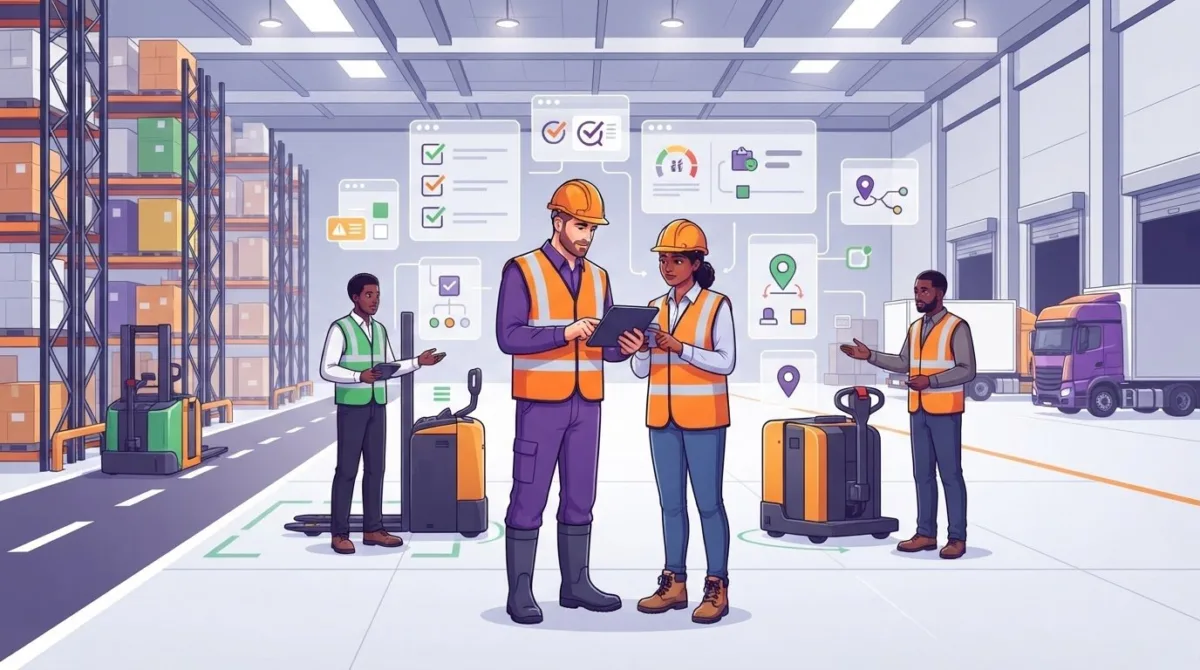
The most feature-packed warehouse safety management system may still be the wrong choice if it doesn’t fit the way work moves across your site. Forklift movements, goods-in, picking, racking checks and shift handovers all generate safety information and follow-up actions that need to stay connected.
Feature lists rarely show how a tool will work in everyday warehouse routines. Look beyond record storage: workers need to be able to use the system, managers need visibility of safety activity, and the rollout needs to fit around operations.
This guide provides a practical framework for comparing systems against your site’s workflows. It covers mobile reporting, audits, risk assessments, inductions and equipment records, as well as adoption and rollout. It also explains how Compliance Genie, a mobile-first, cloud-based platform, brings key safety processes together through customisable modules.
Key Takeaways
- Understand how a warehouse safety management system supports safety processes, and how it differs from the management process itself.
- Assess whether audits, risk assessments, incident reporting, inductions and records fit the way work is carried out on site.
- Compare systems against real warehouse tasks, user roles and reporting needs, rather than relying on feature labels alone.
- Plan a practical rollout by mapping current processes and prioritising a manageable set of workflows before wider adoption.
- Explore how Compliance Genie brings key safety processes together as award-winning, mobile-first, cloud-based software, available on Apple and Android devices with real-time GPS-stamped data.
What a warehouse safety management system needs to help you manage
A warehouse safety management system is software that supports the organisation, monitoring and review of safety processes across warehouse activities. It can bring audits, risk assessments, incidents, inductions and records into a more connected view, helping managers see what has been completed and what needs attention. The software supports the management process; it doesn’t replace the decisions, responsibilities or competent judgement behind it.
Safety management means identifying hazards, setting suitable controls, communicating expectations, checking how processes work and reviewing what needs to change. A digital system can organise that work and make information easier to access, but it can’t determine every site-specific risk or guarantee compliance. Use it alongside competent judgement and current guidance from the Health and Safety Executive (HSE).
Warehouse activity changes throughout a shift. Vehicle movements, loading and unloading, manual handling, storage arrangements and equipment use can all affect what workers need to know and what managers need to monitor. The HSE’s HSG76, Health and safety in warehouses, provides guidance on warehouse safety, including workplace transport, manual handling and work at height. A Safety Management System (SMS) also refers to the wider framework of policies, responsibilities and processes that software may help support.
Which warehouse workflows create the need for joined-up oversight?
Audits and risk assessments help teams examine conditions and working practices. Incident reports capture events that may need investigation, while inductions communicate relevant information to workers starting or changing tasks. These activities can connect: an audit finding might prompt a risk assessment review, a change to an induction or a follow-up inspection.
When records are spread across separate places, it can be harder to tell whether a finding has been addressed, who owns the next step or whether a change has been communicated. Joined-up oversight means relating records to actions, not simply storing more information. For example, a site manager should be able to see the status of a reported issue and its follow-up without relying on memory alone.
How does a safety system differ from a checklist?
A checklist records that a task or inspection has taken place and may capture a finding. A safety system can support the wider process around that record by documenting the issue, assigning an owner, tracking action and making information available for review. The key difference is the connection between the observation and what happens next.
For instance, noting damage during an inspection is only one step. Someone must assess the finding, decide on an appropriate response and check that the action has been completed. Software can help keep those stages visible, depending on how it is configured and used. It doesn’t make the decision for the responsible person or, by itself, prevent an incident.
When assessing options, look beyond whether a system offers a digital checklist. Check how it supports the full cycle of recording, assigning, following up and reviewing safety activity. This gives you a more useful basis for judging its fit with your site.
Which warehouse safety management system capabilities should you assess?
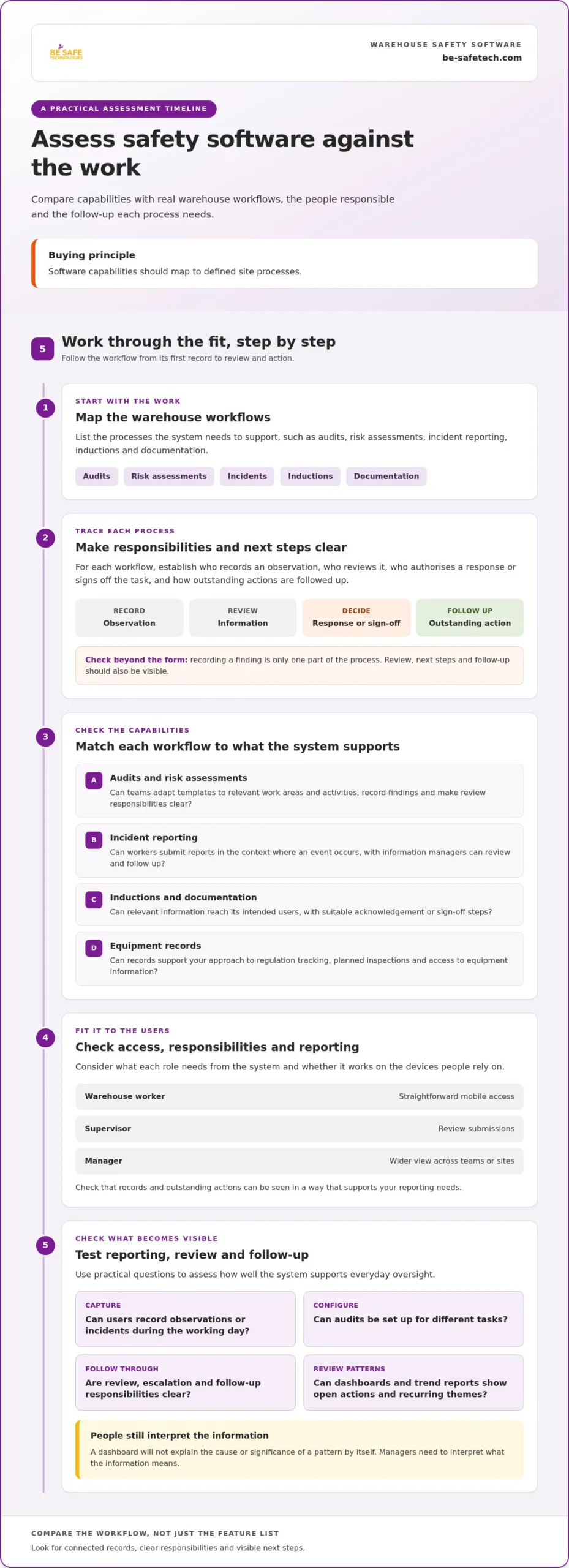
Start with the work the system needs to support, not the length of its feature list. Map audits, risk assessments, incident reporting, inductions and documentation to the people who use them and the decisions they inform. A useful buying principle is simple: software capabilities should map to defined site processes.
For each workflow, trace what happens from start to finish. Who records an observation? Who reviews it, authorises a response or signs off the task? How are outstanding actions followed up? A form for recording a finding is only one part of the process. Check whether the system also makes review and next steps visible.
- Audits and risk assessments: Can teams adapt templates to relevant work areas and activities, record findings and make review responsibilities clear?
- Incidents: Can workers submit reports in the context where an event occurs, and can managers see the information needed to review and follow up?
- Inductions and documentation: Can relevant information be made available to the intended users, with suitable acknowledgement or sign-off steps?
- Equipment: Can records support your approach to regulation tracking, planned inspections and access to equipment information?
Consider each role as well as each process. A worker on the warehouse floor may need straightforward mobile access, while a supervisor may need to review submissions and a manager may need a wider view across teams or sites. Check that the platform is available on the devices your users rely on, and that records and outstanding actions can be seen in a way that supports your reporting needs.
What should incident and audit workflows make visible?
Consider how a user captures an observation or incident during the working day. If photographs or video support your process, check how the system handles them. Find out whether audits can be configured for different tasks, and whether review, escalation and follow-up responsibilities are clear. Dashboards and trend reports should help answer practical questions: which actions remain open, and are recurring themes emerging? A dashboard won’t explain the cause or significance of a pattern by itself. People still need to interpret the information.
For UK requirements, use current HSE guidance to inform your processes. The OSHA Warehousing Safety Guidelines are a US resource, so treat them as additional context rather than a source of UK legal requirements.
How should equipment and documentation be managed?
Decide which equipment records need to connect to inspection schedules and how staff should find the relevant information, including whether QR-code access suits your site. Check how documents are distributed and kept current, and whether the process needs version control or recorded sign-off. Compliance Genie includes equipment regulation tracking, inspection schedules and QR-code tracking, alongside centralised health and safety processes. Explore Compliance Genie health and safety software as one option to compare with your requirements.
Separate essential capabilities from optional ones. A focused shortlist helps you assess whether each feature supports a real task, assigned role or reporting need, rather than adding complexity without a clear operational purpose.
How to compare warehouse safety software against your site requirements
Start your comparison with operational requirements, not supplier feature labels. Build a simple matrix connecting each warehouse workflow to the people involved, the information they need and how progress should be reported. Assess each system against the same criteria. This helps you identify practical fit, gaps and optional features without letting an impressive-looking list drive the decision.
For each requirement, use a consistent scale, such as “meets”, “partly meets” or “doesn’t meet”, and note what you observed. Assess a warehouse safety management system against real tasks and roles, not assumptions about what a feature name means.
- Workflow: Which task needs support, and what steps happen from start to finish?
- Users: Who enters information, reviews it, authorises actions or manages the system?
- Reporting: What information does each role need to see, and how often?
- Configuration: Can forms, access and approval steps reflect your existing process?
- Practical fit: Is the system usable on the devices and in the working environments your teams rely on?
Include implementation and ongoing administration in the comparison. Record what preparation your organisation needs, who will maintain forms and user access, and how process changes will be managed. Focus on the effort and responsibilities involved rather than assuming a particular cost or rollout timescale.
Which questions reveal whether software fits the operation?
Use representative tasks to see how a system works in practice. Ask a worker to complete an audit or record an incident, then have a supervisor review the information and follow the relevant approval or sign-off steps. Include people who will use, manage and oversee the workflows. A process that seems clear to an administrator may feel cumbersome to someone completing it during a shift.
Check whether configurable forms and authorisation steps can reflect your established process without making routine tasks difficult. Note where users need guidance, where information could be missed and whether the resulting records support the review managers need. A demonstration is most useful when it follows your scenarios rather than presenting features without operational context.
How can UK buyers assess trust and information security?
Review supplier credentials and security information against your organisation’s procurement and information governance requirements. Be-Safe Technologies Ltd is ISO 9001/27001 certified and a G-Cloud Approved Supplier. These credentials provide relevant supplier context, but assess information about the system against your own requirements rather than treating a certification as a substitute for that review.
Keep your safety assessment grounded in current UK guidance from the HSE. US resources may offer general context, but they shouldn’t stand in for UK guidance when you’re defining safety requirements. A structured evaluation helps you compare systems consistently while keeping operational fit, usability, security and administration in view.
How to plan implementation without disrupting warehouse operations
A well-planned rollout starts with understanding how safety work is already done. Before configuring a warehouse safety management system, map current processes, records, user groups and reporting needs. Include routine activities and exceptions, such as how a finding is escalated or how a new starter receives relevant information. This discovery helps you choose a practical starting point and avoid designing workflows around assumptions.
Begin with a manageable set of processes that gives users a clear reason to engage with the system. For example, you could start with an audit workflow and its follow-up actions, then use what the team learns to inform later configuration. Define what is in scope, who owns each process and how managers will review activity. Wider adoption can follow once the initial workflows are understood and working as intended.
What should a practical rollout plan include?
Document the existing process, the records it generates and where responsibility passes between roles. Then agree how the digital workflow should reflect those steps, including who completes each task, who reviews submissions and who follows up outstanding actions. Assign process ownership before configuration so decisions have a clear route. Set a review point after users have worked through the process, and use their feedback to refine forms or instructions.
A simple rollout plan can capture:
- Scope: Which workflows are being introduced first, and which are being left for a later phase?
- Ownership: Who maintains the process, manages access and reviews activity?
- Readiness: Which records, instructions and user details need to be prepared?
- Review: How will the team gather feedback and decide what to adjust?
This staged approach also helps identify dependencies. If managers need a particular report, define the information it should contain and who will review it before setting up the workflow that supplies it.
How can teams support adoption across shifts?
Plan communication and training around warehouse operating patterns so people can learn the process without relying on a single handover or informal explanation. Keep instructions clear and relevant to each role. Workers need to know how to complete a task; reviewers need to understand what to check and how follow-up is handled.
Make the process easy to explain across shifts. Clarify where users submit information, who reviews it and how unresolved actions are carried forward. Test the workflow with the people who will use it, then check that it reflects actual routines rather than an idealised version of the operation. Wider planning for health and safety compliance software can also help align the rollout with other organisational processes.
To see how a configurable platform supports planned workflows, explore Compliance Genie and consider how its modules can be tailored to your processes.
How Compliance Genie supports connected warehouse safety processes
Compliance Genie is award-winning, mobile-first, cloud-based health and safety software that brings key safety activity into a connected platform. Available on Apple and Android devices, it provides real-time GPS-stamped data to support teams recording and reviewing activity in context. Its centralised processes include audits, risk assessments, incident reporting, inductions and documentation.
For warehouse teams, consider how these capabilities fit existing site routines. Audits can support site checks, risk assessments can relate to work activities, and incident reporting can support the way teams capture and review events. Equipment regulation tracking, inspection schedules and QR-code tracking help businesses organise equipment information and inspection activity.
Which Compliance Genie capabilities may fit warehouse processes?
Map each capability to a defined task and its responsible users. Point-of-Work Risk Assessments use business-specific control measures and an authorisation workflow. Safety Audits support custom audit creation, logic-driven escalation and photo or video attachments, helping teams record findings and direct them for review.
Accident & Incident Reporting captures information from site or mobile, with live dashboards and trend analysis. These functions support users submitting information and give managers a view of reported activity. Configure review, authorisation and follow-up around the way your organisation assigns those responsibilities.
- Risk assessments: Consider how task-specific measures and authorisation fit your existing assessment process.
- Audits: Explore how audit forms, escalation and visual records could reflect the checks your teams carry out.
- Incident reporting: Review how mobile capture and dashboard information align with reporting and management needs.
These capabilities work alongside centralised inductions and documentation. Inductions support video, document and checklist sharing, automated refresher reminders and sign-off. Documentation Management supports remote deployment, real-time sign-off with photo/GPS validation and version control. Equipment tracking, inspection schedules and QR-code tracking are also relevant when workers need to locate equipment information as part of a site process. Evaluate each feature against your actual workflow; software alone won’t resolve operational risks.
What should buyers explore in a Compliance Genie demo?
Bring representative warehouse tasks to a demo, such as completing an audit, carrying out a point-of-work assessment or submitting an incident report. Trace each task from initial entry through review and follow-up. Explore how configurable processes, user access and documentation can align with your organisation’s roles and procedures.
This is a practical way to assess whether the platform suits the people who will use and manage it. Before the demo, list the workflow steps, information required and decisions involved. You can also use guidance on health and safety risk assessments or digital audit checklist software to clarify what your processes need to cover, then compare those needs with the system.
If you’re assessing a warehouse safety management system, arrange a Compliance Genie demo to explore how its workflows fit your site requirements.
Choose a system that can grow with your site
The right warehouse safety management system should support the way your teams work today and give you a clear path to refine processes as needs change. Before deciding, identify the workflows you want to improve first and the outcomes you want to oversee. Then use a product demonstration to see how those priorities translate into practical use for workers, supervisors and managers.
Compliance Genie is award-winning health and safety software from Be-Safe Technologies Ltd, which is ISO 9001/27001 certified and a G-Cloud Approved Supplier. A focused demo lets you assess how the platform’s configurable workflows align with your site requirements and implementation plans. Book a Compliance Genie demo to explore the fit for your organisation and take a confident next step towards more connected safety management.
Frequently Asked Questions
Can a warehouse safety management system guarantee legal compliance?
No, software can’t guarantee legal compliance. A warehouse safety management system can help organise records, assessments, audits and reports, but your organisation remains responsible for managing health and safety. A completed digital form doesn’t by itself show that a control is suitable or that a reported issue has been addressed. Use current HSE guidance and advice relevant to your operation, and retain management oversight and competent judgement.
How often should a warehouse review its risk assessments?
There’s no single review interval that suits every warehouse activity. Set review arrangements according to the risks, working practices and changes in your operation, using current HSE guidance as a reference. A change to a task, layout, equipment or working arrangements may prompt a review, but the appropriate response depends on the circumstances. Make clear who monitors for relevant changes and who is responsible for reviewing each assessment.
Is warehouse safety software only suitable for large warehouses?
No, suitability depends on the processes and oversight needs of the organisation, not warehouse size alone. A smaller operation might begin by organising a single assessment or incident process, whilst a larger site may need to coordinate more users and activities. Compare systems against the work you need to manage, such as who records findings and who reviews them. A long feature list isn’t a reliable measure of fit.
What information should we prepare before a warehouse safety software demo?
Prepare a few real examples, with any personal or sensitive details removed. You might bring an audit template, an induction outline or a sample incident-reporting process. Note who uses each, what managers need to review and any sign-off or reporting requirements. If different shifts or teams follow different routines, describe those variations too. This gives the demonstration practical context and helps you assess how the system could fit your operation.
Can one safety management system support different warehouse processes?
Potentially, but assess each process against its own requirements rather than assuming one configuration will suit every task or site. For an induction, consider the information workers need and how completion is recorded. For an equipment inspection, identify the records and review steps involved. Then compare user access, workflow configuration and reporting needs across those examples. This helps reveal where processes could share a system and where they may need different settings.
How can we tell whether a warehouse safety management system is working?
Agree what success looks like before rollout, then review evidence against those aims. Check whether selected tasks are being completed and reviewed, whether managers can find current records, and whether follow-up actions are visible to the people responsible. Set measures that reflect your operation rather than relying on generic benchmarks. Combine system reports with feedback from workers and managers, then use what you learn to refine the workflows.