



Contractor Safety Management Software UK: 2026 Guide
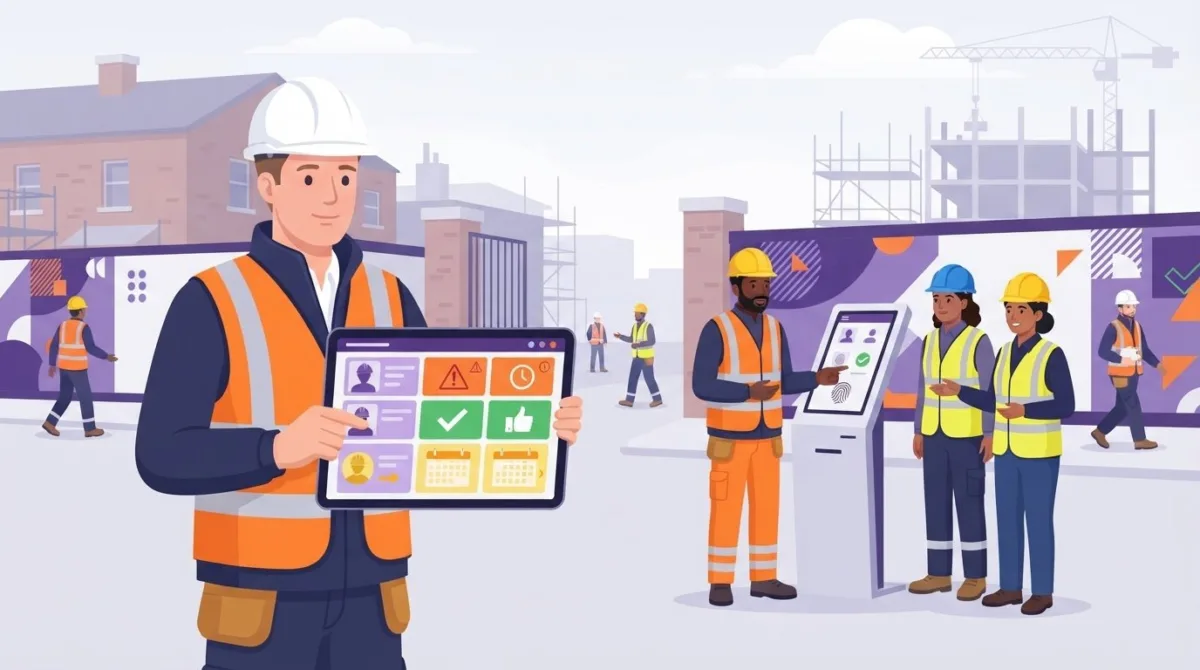
A contractor arrives for a planned site visit, but their approval status is buried in an email and the latest evidence is saved elsewhere. When records are spread across spreadsheets, folders and inboxes, site teams can struggle to see who is cleared to attend. Contractor safety management software UK organisations use can bring contractor information and site visits into one organised workflow.
A useful system should make safety processes easier to manage without adding unnecessary paperwork. It should help relevant people find information, understand where a process stands and coordinate day-to-day site activity.
This guide explains how contractor safety software can support site work, what to compare when assessing options and how to plan a system that fits your organisation. It also explains how Contractor Genie, developed by UK-based Be-Safe Technologies Ltd, centralises contractor and site-visit management to give managers and site teams a clearer view of the information they need.
Key Takeaways
- Bring contractor details, approval information and site visits into a clearer, more organised workflow.
- Compare contractor records, site-team usability and management oversight when assessing contractor safety management software uk options.
- Consider the differences between specialist contractor tools, wider EHS platforms and construction systems by looking at their workflow focus, reporting and ease of use.
- Plan implementation around existing processes, involve the people who will use the system and review how it works in practice.
- Contractor Genie brings contractor and site-visit management together in one central location.
What contractor safety management software does for UK organisations
Managing contractor work involves more than collecting documents before a job starts. Teams need to organise contractor details, review safety evidence, record approval steps and coordinate site visits. Contractor safety management software brings these activities into a shared system, making relevant information easier to find than when it is split between email, spreadsheets and folders.
Contractor safety management software is a digital system that helps health and safety, operations and site teams organise contractor records, safety processes and site visits. Its focus is the contractor safety journey: who is involved, what information has been provided, where approval stands and how visits are coordinated. A general project-management tool may track tasks and milestones, while a document template can help create a form. Neither necessarily gives teams a central view of contractor information and site activity.
Central records help teams see what information is available and what stage a process has reached. Software can support coordination, but it doesn’t replace competent review or sound safety decisions. The HSE provides an overview of the UK’s foundational workplace health and safety legislation, the Health and Safety at Work etc. Act 1974. Organisations remain responsible for applying relevant requirements to their work.
Which contractor safety processes can software support?
A system can bring contractor information and safety evidence together, while making approval progress and visit details easier to follow. For example, a safety manager can review a contractor’s record while an operations colleague coordinates a planned visit. This evidence often includes training credentials, risk assessments, or confirmation that teams are equipped with certified gear from specialists such as Colorado Safety Supply Company. Clear responsibilities and visible progress help teams avoid relying on outdated email threads. The appropriate people still need to review evidence and make approval decisions.
Who benefits from a central contractor safety record?
Health and safety managers can get a more consistent view of contractors across sites. Operations teams can coordinate external workers and planned visits using the same central information. A defined process also helps contractors understand what information is needed and where things stand, reducing the need to repeat requests or follow different steps for each visit.
The benefit is connecting contractor information with the activity it supports. A central record helps teams follow the process from gathering information through to coordinating a site visit, rather than treating paperwork as the end goal. Managers and site teams gain a clearer operational picture, with human judgement still at the centre of safety management.
Which contractor safety software capabilities should you assess?
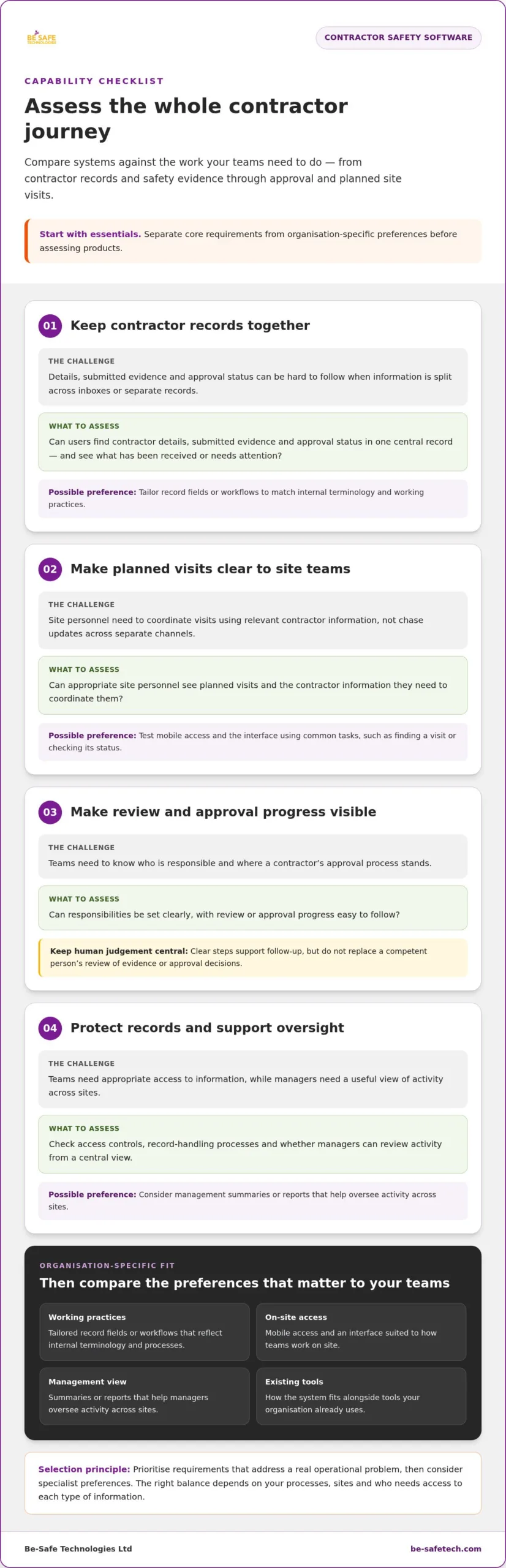
Compare systems against the work your teams need to do, not the length of a feature list. Follow the process from contractor records and safety evidence through approval and planned site visits. Check that site users can find relevant information quickly and that managers can oversee activity without creating extra administration.
Separate essential requirements from preferences before you assess products. The right balance depends on your existing processes, the number and spread of your sites, and who needs access to each type of information.
| Essential requirements | Organisation-specific preferences |
|---|---|
| Find contractor details, submitted evidence and approval status in a central record. | Tailor record fields or workflows to reflect internal terminology and working practices. |
| Make planned visits and relevant contractor information visible to appropriate site personnel. | Choose the mobile access and interface that best suit how teams work on site. |
| Set clear responsibilities and make review or approval progress easy to follow. | Decide what management summaries or reports help you oversee activity across sites. |
| Apply suitable access controls and clear record-handling processes. | Consider how the system fits alongside tools your organisation already uses. |
How should contractor records and safety evidence be organised?
Check how users find a contractor’s details, submitted documents and current approval status. It should be easy to see what has been received and what needs attention, without piecing together updates from inboxes or separate reminders. Consider who can view or update different information, and whether the system supports your organisation’s record-handling process.
When comparing contractor safety management software uk, check whether approval steps reflect how decisions are made in your organisation. Clear responsibilities and visible progress support consistent follow-up, but do not replace a competent person’s review of evidence.
What makes site-visit management usable for teams?
Check whether relevant site personnel can see planned visits and the contractor information they need to coordinate them. If staff will access records away from a desk, test mobile usability using common tasks, such as finding a visit or checking its status. Also consider whether managers can review activity across sites from a central view while local teams continue their day-to-day work.
Prioritise requirements that address a real operational problem, then consider specialist preferences. This keeps the selection focused and avoids building unnecessary administration into the process. To see how centralised tools can support contractor and visit coordination, explore contractor management software.
How to compare contractor safety software with other site tools
Contractor safety tools sit within a wider market that includes EHS platforms and construction operations systems. Each category supports different workflows. Compare systems against the work your organisation needs to manage rather than assuming one type will suit every team.
- Specialist contractor management systems focus on contractor records, approval processes and site visits.
- Wider EHS platforms may bring contractor management together with broader health and safety processes.
- Construction operations systems may connect safety functions with project activity, site access or other operational workflows.
Document creation is a separate consideration. Templates can help produce individual documents, but they don’t provide ongoing oversight of contractor records, approval status and site visits on their own. Check whether the system supports the full process your teams need, from receiving evidence to coordinating activity and keeping information accessible.
Software fit depends on operational scope, not feature count alone. Extensive reporting may be unnecessary if your main requirement is a clear contractor workflow. A focused tool may be too narrow if teams need wider safety processes in the same system.
When might a specialist contractor system fit better?
A specialist system may suit organisations whose main challenge is organising contractor information and coordinating visits. A focused workflow can make those tasks easier to follow without requiring teams to work through unrelated functions. Organisations managing wider safety processes may prefer an EHS platform that brings more activities together. The right choice depends on the work the system needs to support.
How should buyers assess integrations, reporting and information security?
Map the connections your teams need, such as links between contractor records and existing operational systems. During evaluation, walk through those workflows using realistic examples. Establish what information needs to pass between systems and how. Don’t assume an integration exists simply because it appears on a feature list.
Reporting should support the decisions different people make. Site teams may need practical information for daily coordination, while managers and senior decision-makers may need a wider view of activity. Check that reports are understandable and relevant to each audience. For information security, review the supplier’s security evidence and what it covers. Be-Safe Technologies Ltd holds ISO 9001 and ISO 27001 certifications at company level.
For a focused example of contractor and site-visit management, explore Contractor Genie’s contractor management software, designed to centralise contractor information and site visits.
How to plan UK contractor safety software implementation
A considered rollout starts with how contractor management works today, not with software settings. Map the journey from gathering information to approval and site visits. Note who owns each step, where delays or repeated requests occur, and which teams need to see the outcome. This gives you a practical basis for setting requirements and keeping the new workflow proportionate.
For construction work, use relevant HSE guidance and the Construction (Design and Management) Regulations 2015 as context when mapping project arrangements. Software can help organise records and make processes visible, but it doesn’t replace people’s responsibilities or competent safety decisions.
How can you prepare contractor data and approval workflows?
Before configuring a system, identify where contractor records are held, who maintains them and how approval decisions are made. Agree what evidence your process requires, who reviews it and how status updates reach contractors. Plan the migration in manageable stages: decide which records need to move, check them for completeness and consistency, then test a sample before transferring the rest.
Involve safety leads and operations colleagues early. Their input can clarify handovers, approval stages and the information site teams need. Include contractors in discussions about instructions and status updates so that the process is clear from their perspective too.
How can you support adoption across sites?
Configure the agreed workflow, then pilot it with representative managers, site users and contractors before extending it more widely. A pilot can reveal practical problems, such as unclear responsibilities or steps that are difficult to complete during site work. Give users role-based guidance focused on their tasks, rather than providing everyone with the same instructions.
Review feedback alongside useful process measures, such as whether records are complete, approval stages are clear and planned visits can be coordinated using the available information. Use what you learn to refine the workflow before wider adoption. A phased approach gives teams time to build confidence without adding unnecessary administration.
- Map: Document current steps, record locations and process owners.
- Specify: Set requirements for evidence, approvals, access and site visibility.
- Configure: Reflect agreed responsibilities and workflows in the system.
- Pilot and review: Test with representative users, gather feedback and adjust before rollout.
Choosing contractor safety management software uk is only one part of the change. Careful preparation helps the system fit day-to-day work. Explore Contractor Genie for contractor management and see how it supports centralised contractor and site-visit management.
How Contractor Genie supports contractor and site-visit management
Contractor Genie is Be-Safe Technologies Ltd’s SaaS package for managing contractors and site visits in one central location. It brings these related activities together, helping organisations organise contractor information and coordinate visits as part of day-to-day site work.
How does Contractor Genie fit into a contractor safety workflow?
For organisations focused on contractor records and site visits, a shared location connects contractor information with the visits teams need to coordinate. This supports the practical priorities covered in this guide: keeping information organised, helping relevant teams find what they need and coordinating site visits.
When assessing contractor safety management software uk, compare your requirements with the product’s stated purpose. Map your process from the information your organisation manages through to visit coordination. Consider how Contractor Genie’s central contractor and site-visit management fits that workflow, alongside the review and approval decisions your team makes.
This keeps the evaluation grounded in operational fit. The aim is to understand how a central location for contractor and visit management can support your working practices, not to assume software makes safety decisions or guarantees compliance.
What should the next step look like for an interested organisation?
Before exploring a system, write down the essentials of your current operation. Consider the types and volume of contractors you manage, the sites involved, your approval steps and who needs to access information. Include safety leads, operations teams and site users so that both oversight needs and practical day-to-day requirements are represented.
Use those requirements to guide a product discussion or demonstration. Ask to see how the workflow relates to realistic examples from your organisation, such as how contractor information connects with a planned visit and who needs visibility at each stage. This helps your team assess the fit against its own processes rather than relying on generic feature lists.
Be-Safe Technologies Ltd holds ISO 9001 and ISO 27001 certifications at company level. These are credentials of the organisation, not certifications of Contractor Genie. Consider them as part of your wider supplier assessment alongside how the software’s purpose aligns with your needs.
To explore contractor and site-visit management with Contractor Genie, discuss your organisation’s requirements with Be-Safe Technologies Ltd.
Make contractor oversight clearer across your sites
Choosing contractor safety management software uk starts with your operational needs, not the longest feature list. Look for a system that organises contractor information and site visits, makes responsibilities and approval stages easier to follow, and fits the way your teams work. A planned rollout shaped by safety leads, operations staff, site users and contractors helps keep the process practical.
Contractor Genie manages contractors and site visits in one central location, supporting clearer coordination and visibility. Be-Safe Technologies Ltd holds ISO 9001 and ISO 27001 certifications at company level.
Explore Contractor Genie and organise contractor site visits with greater clarity. Start with your requirements and see how a centralised workflow can support contractor management across your organisation.
Frequently Asked Questions
What is contractor safety management software?
Contractor safety management software helps organisations organise contractor information, safety processes and site visits in a central digital system. For UK organisations, it can help relevant teams find contractor records, follow approval progress and coordinate planned visits. It supports an organisation’s process, while people remain responsible for reviewing information and making appropriate safety decisions.
How does contractor safety software help manage site visits?
It connects contractor information with the practical coordination of site visits. A central record can help teams see which contractor is expected, what information is available and where the relevant approval process stands. This gives operations and site personnel a shared reference when organising visits, rather than relying on separate emails or spreadsheets. The information needs to be kept up to date to remain useful.
What should contractor safety management software include?
Start with the essentials your process needs: organised contractor records, visibility of submitted evidence and approval status, and support for coordinating site visits. Check whether responsibilities are clear, site users can access relevant information easily and managers can oversee activity. Mobile usability, reporting and configurable workflows may also matter, depending on how your organisation operates.
Can contractor safety software ensure legal compliance?
No. Software can help organise records and support consistent processes, but it can’t by itself ensure legal compliance or replace competent judgement. Organisations need to understand the requirements relevant to their work, apply them appropriately and make decisions about contractor evidence and site arrangements. Treat software as a practical tool for supporting oversight, not as a substitute for people, procedures or suitable safety management.
Is contractor management software the same as EHS software?
Not necessarily. Contractor management software focuses on organising contractor information and related activity, such as site visits. EHS software covers wider environmental, health and safety processes, and may bring several areas of safety management into one platform. Some organisations need a focused contractor workflow; others may prefer broader EHS coverage. The right fit depends on the processes the system needs to support.
How much does contractor safety management software cost in the UK?
There isn’t one price that applies to every organisation. Costs can depend on the system’s scope and your requirements, so compare proposals against the contractor processes, sites and users you need to support. Check what the quoted price covers, including any implementation or onboarding charges, and how recurring fees are structured. Assess the total cost against the workflow and oversight the software is intended to support.
How do we introduce contractor safety software without disrupting site work?
Begin by mapping current processes, records, approval stages and the people responsible for each step. Agree requirements with safety leads, operations teams, site users and contractors before configuring workflows. Test the process with representative users in a pilot, provide guidance suited to each role and gather feedback. Review where users encounter friction, then refine the workflow before extending it across the organisation.