



Construction Safety Software UK: Compare Tools and Features
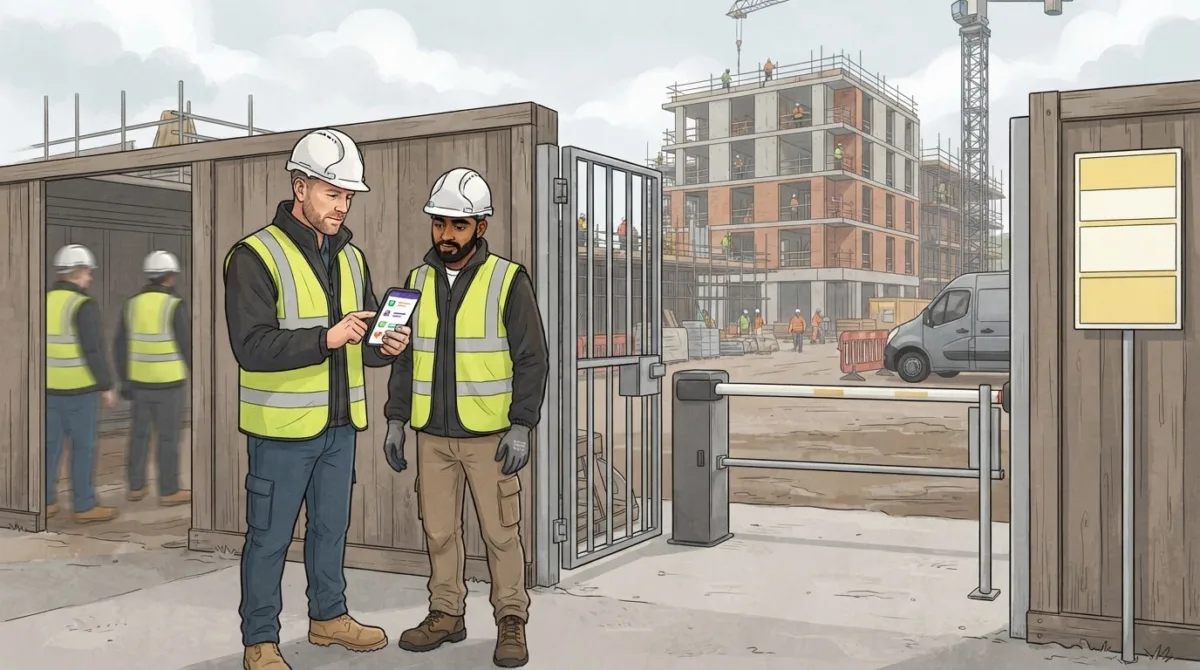
The right construction safety software for UK sites should connect compliance records with the work happening on site. It can help teams organise digital inspections, incident reports, CDM documents, equipment checks and maintenance reminders, although the features available vary between platforms. The Health and Safety at Work Act 1974 is one of the laws governing health and safety in UK construction, according to The National Archives.
Managing safety across sites, contractors and changing project demands can leave teams juggling forms, records and follow-ups. Construction safety software UK businesses use can bring these processes into a clearer, more accessible workflow, but the right fit depends on the tasks your team needs to manage.
This guide compares the main types of construction safety software in the UK and explains which features support compliance, inspections, incident reporting, CDM paperwork and equipment management. You’ll learn what to look for in each category, how software can support day-to-day oversight, and how digital systems work alongside your existing safety responsibilities.
Key Takeaways
- Compare software by the safety tasks it connects, not just the number of features on its list.
- Digital inspections and incident reports can make it easier to record site issues and track follow-up actions.
- Organised CDM documents help teams manage project information and keep relevant records accessible.
- Equipment check schedules and maintenance reminders can support clearer oversight of inspections and outstanding work.
- Different software categories suit different needs, from health and safety processes to contractor and site-visit management.
Construction compliance and safety software comparisons
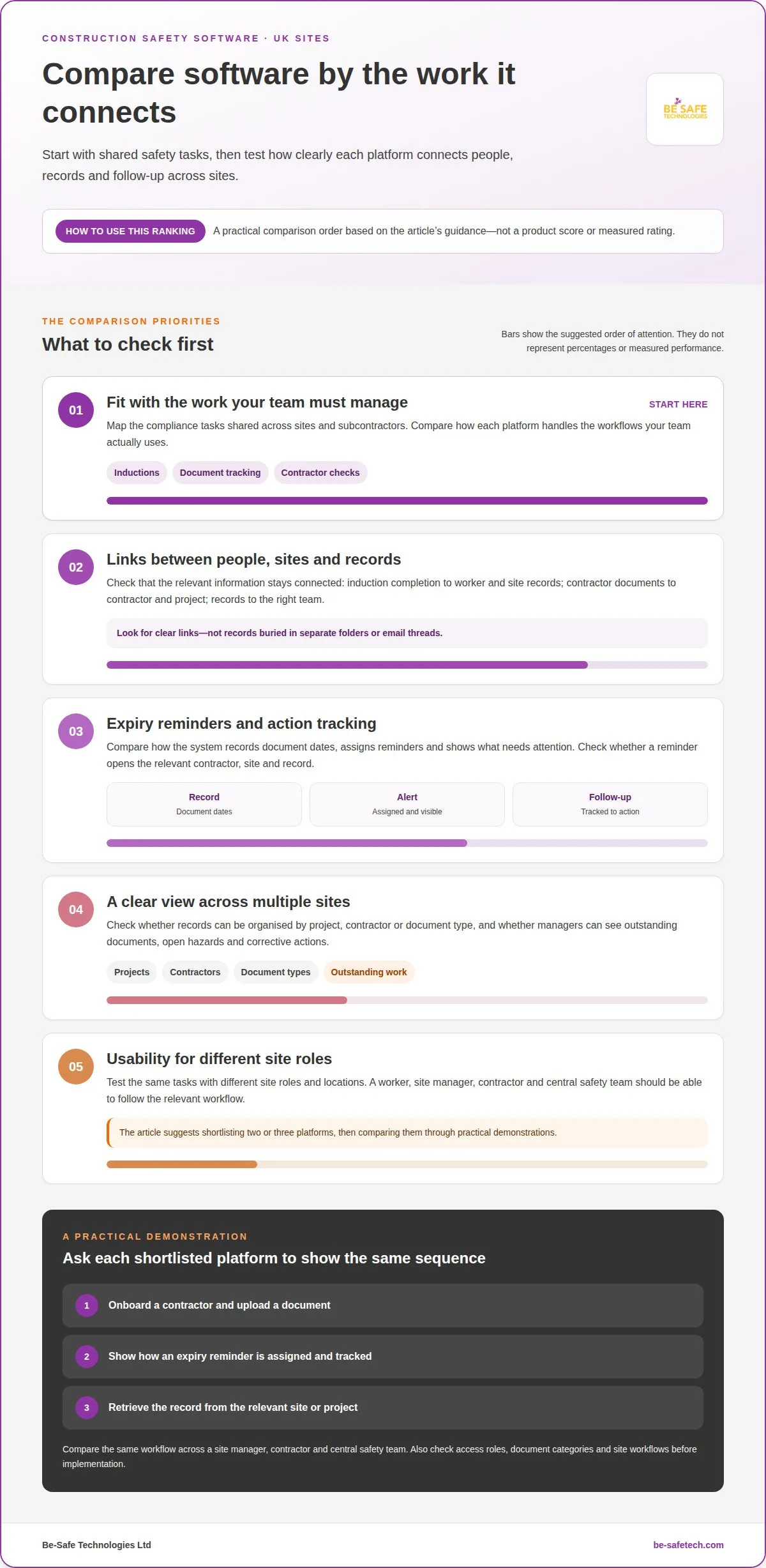
Choose software by mapping the compliance tasks shared across your sites and subcontractors. Shortlist two or three platforms, then compare how each handles those workflows using practical demonstrations.
For implementation, group requirements by task, such as inductions, document tracking and contractor checks. Test these tasks with different site roles and locations before setting up shared records.
Digital inductions and compliance records
Digital inductions present site information electronically and record completion, while compliance documentation keeps supporting records in one system. A mobile induction can give workers access to relevant site information before work begins, with completion recorded alongside other safety documents. This helps teams see which records relate to each site and reduces reliance on separate paper forms.
Compare how a platform assigns inductions to sites, records completion and makes the record available to the relevant team. For example, a worker moving between projects may need records linked to each site rather than buried in an email thread. Look for clear links between induction status, worker records and site documentation.
Contractor and subcontractor compliance
Contractor compliance management organises subcontractor documents and records, such as licences, insurance and safety training. A shared system lets teams see whether required documents are present for each contractor and project. When several subcontractors work across multiple sites, separate spreadsheets can make missing records harder to spot and tie to the right project.
Compare whether the software keeps contractor profiles, documents and site assignments together. A project view should help authorised teams find a subcontractor’s training record or insurance document without searching unrelated folders. Contractor onboarding and site attendance can also sit alongside compliance records, giving teams a clearer picture of who is involved at each location.
Compliance document expiry management
Expiry management records document dates and alerts teams as certificates or other compliance records approach their expiry. Automated reminders help teams plan follow-up instead of relying on manual calendar checks. The system can also show which documents are current and which need action, giving managers a clearer view than a folder of files.
Compare how reminders are assigned, displayed and tracked after an alert. For example, a dashboard might show an upcoming contractor document expiry alongside outstanding actions. Check whether teams can open the relevant contractor, site and record from the reminder, so the next step is clear and an updated document can be linked to the right record.
Centralised documentation across sites
Centralised documentation keeps compliance records for multiple sites in a shared system, organised by project, contractor or document type. This helps managers overseeing several locations maintain a consistent view of outstanding documents, open hazards and corrective actions. A dashboard can bring these indicators together and highlight projects that need attention.
Compare platforms by mapping one real workflow across a site manager, contractor and central safety team. Ask each shortlisted provider to demonstrate the same sequence, from onboarding and document upload to expiry reminders and record retrieval. Plan implementation around agreed document categories, access roles and site workflows. This makes differences between platforms easier to assess and helps teams use a consistent approach across locations.
Digital inspections and incident reporting
A digital platform can bring site inspections, incident reports and follow-up actions into one workflow. Compare how workers record an issue, how managers review it and how teams track it through to completion.
Mobile incident and near-miss reporting
Mobile reporting lets workers record an incident or near miss from site using a phone or tablet. A clear form can capture what happened, where it occurred, witness details and photos, giving managers useful information to review. This is particularly useful when paper forms or delayed reports make it harder to understand an event while details are fresh.
For example, a worker can report a near miss involving a misplaced cable, attach a photo and identify the work area. The platform can notify the relevant team and record corrective actions against the report. Compare how easily workers can complete each step, and whether they can access documents and notifications through the same mobile interface.
Incident reporting and risk assessments
Incident reports record events, while risk assessments describe hazards and the controls used to manage them. Connecting the two helps teams review whether an incident relates to a known hazard or an existing control. For example, a report about a blocked access route can prompt a review of the relevant site assessment.
Look for links between incident records, risk assessments, corrective actions and investigation notes. Connected records let a manager follow an issue from initial report through review and action, rather than searching separate files. Reports may also cover events reportable under RIDDOR, so relevant incident details should be accessible for the organisation’s reporting process.
Digital inspections apply the same structured approach to routine site checks. A form can guide an inspector through access routes, housekeeping or barriers, with each response recorded against the inspection. If the inspector identifies a hazard, the record can link to a corrective action instead of remaining an isolated note.
Compare how clearly inspection forms work on a mobile screen. Workers need to find the right site and inspection, record findings and submit the report without navigating unrelated menus. A saved record should show who completed the inspection, what they found and which actions remain open.
Dashboards can help supervisors see active incidents, open hazards and outstanding corrective actions across projects. A growing number of reports about the same access issue, for instance, may point to a recurring problem that needs attention. Filters by site or status help teams focus their review and avoid overlooking unresolved items.
During a platform comparison, demonstrate a complete workflow using a sample inspection and near-miss report. Follow each record from submission through notification, investigation and action closure. This practical test shows whether the system supports the way teams work on site; digital health and safety management can help bring these records into a more organised process.
CDM 2015 documents, including RAMS and Construction Phase Plans
CDM 2015 is a regulatory requirement relevant to UK construction software, according to The National Archives (legislation.gov.uk). UK tools include health and safety platforms, contractor management systems and document-control software; they can organise project records, inspections and incident reporting.
Security risks include unauthorised access, poorly managed permissions and incomplete records. Adoption can also suffer if site workflows are difficult to use. Check whether forms can be stored locally and synced later if offline access is important, and whether integrations are available for your project-management or document-control systems.
Managing project safety documents
Project document management organises CDM 2015 records, RAMS, Construction Phase Plans and related files by project. That structure helps contractors locate the current information for their work, rather than relying on scattered email attachments or folders.
For example, a project workspace can group a Construction Phase Plan with relevant RAMS, site forms and supporting records. Teams can then retrieve these documents alongside safety information, such as an inspection or incident report. HSE guidance says a construction phase plan must be prepared before the construction phase begins, including for domestic jobs.
Available UK systems range from focused documentation tools to platforms combining compliance records, contractor workflows, inspections and incident reporting. RevenueBase identified 146 company matches for construction safety documentation software associated with the UK as of September 2026. That directory figure describes company matches, not a measure of software quality or feature coverage.
Document version control and audit readiness
Version control records which document is current and helps users identify when a file changed. This is important when a project team needs to distinguish an updated RAMS document from an earlier version saved locally.
A useful workflow links a document to its project, records its update history and makes the current version easy to find. During an audit or inspection, authorised staff can retrieve relevant permits, certifications, safety audits and inspection reports from a central record. Clear naming, ownership and review steps also help teams avoid acting on outdated information.
To compare document control, follow one document change from upload through review and retrieval. Check how the system identifies the latest version, preserves earlier versions and links the file to the correct project. This shows whether version history supports practical document control or simply stores multiple files.
Safety documentation and accountability
Safety documentation supports accountability by connecting project records with the people and tasks they relate to. For example, a project record can show which contractor submitted a document and which team member reviewed it.
Those links help managers track document status and outstanding actions across construction projects. Access permissions matter too: contractors need usable project information, while sensitive records should be restricted to appropriate users. Poorly organised access can cause confusion or expose information unnecessarily.
Adoption depends on fitting the system to site routines. A mobile-friendly way to find project documents is easier to follow than a complicated sequence of menus. Before implementation, map who creates, reviews and retrieves each record, then assess how the platform handles those roles, integrations and offline document access. This ties software choice to everyday use, not just a feature list.
Equipment inspections and maintenance reminders
Equipment management software can schedule inspections, store findings and remind teams about maintenance tasks. On a construction site, plant records, inspection reports and outstanding actions can be grouped together, helping managers see what needs attention. Compare how each system links an item of equipment to its checks, responsible person and maintenance history.
LOLER and PUWER checks are examples of plant and equipment inspections relevant to construction sites. PUWER means the Provision and Use of Work Equipment Regulations 1998; checks can include worker training before machinery is operated. A useful system keeps the relevant equipment record and inspection outcome easy to retrieve, rather than separating them across unrelated files.
Risk assessments and RAMS provide context for equipment inspections by documenting hazards and control measures for work. For example, a task involving lifting equipment can link its relevant assessment and method statement to the inspection record. This lets workers and managers view related safety information together rather than treating checks as isolated processes.
Inspection findings need a clear path to action. A digital form can record a defect, identify the equipment and assign corrective action to a responsible person. Managers can then see whether the action is open or complete. For example, a damaged guard recorded during a site inspection can be linked to follow-up work and its supporting record.
Permits to work can sit alongside inspection records when a project workflow uses them. Linking a permit to the relevant equipment, task and inspection helps teams find information associated with the work. During a software comparison, follow a sample permit from preparation through review, then check whether related inspection findings remain accessible from the same project record.
Audits benefit from organised access to inspection reports, permits, certifications and safety audit records. A manager preparing for an internal review, for example, can retrieve records by site, equipment or document type. Look for clear search and filtering options, plus a visible status for outstanding actions. These features help teams trace findings to their follow-up.
Maintenance reminders can flag planned work or an approaching inspection date, helping teams coordinate tasks before equipment records become overdue. Compare how reminders appear, who receives them and how completion is recorded. A useful workflow links each reminder to the equipment record and inspection history, so workers understand what is due and managers can track its status.
For a practical comparison, follow one item of plant through its full record: related risk assessment, inspection, reported defect, corrective action and maintenance reminder. Check whether the platform keeps these connected records accessible for operational management. This shows whether the software supports site processes, rather than simply storing inspection forms.
Construction safety software categories
Construction safety software covers several categories, each focused on different workflows. Start a clear comparison with the workforce task that needs support, such as recording an inspection, managing contractor documents or preparing for audits.
- Health and safety compliance platforms organise risk assessments, training records, inspections and corrective actions. They suit teams seeking a shared view of safety compliance across projects, rather than separate files for each process.
- Contractor management systems focus on onboarding, contractor documentation and site visits. For example, a project team can use one workflow to manage subcontractor records and site attendance.
- Inspection and incident tools centre on mobile forms, hazard reports and follow-up actions. They can help workers submit site findings, while managers review open issues by project or status.
- Document-control systems organise project files, permits, certifications and audit records. Their main value is helping teams locate relevant documents and distinguish current versions from earlier files.
- Connected construction platforms bring several workflows together, such as inductions, inspections, incidents, document management and task management. Some also connect compliance information with project-management tools.
These categories can overlap, so compare workflows rather than relying on product labels. A compliance platform might include contractor records, while a contractor system may also support inductions or site forms. For a team managing multiple sites, map a practical process, such as contractor onboarding through site attendance, and see which category handles each stage without duplicating records.
Choose software based on the problem creating the most administrative work. If inspections and corrective actions dominate, prioritise forms, status tracking and reports. If contractor documents are the main concern, focus on onboarding, records and site visits. If audits require information from several processes, assess how the platform connects documentation with inspections and incidents. This reveals whether one system can support the workflow or separate tools are better suited to distinct needs.
Construction firms can also assess how software fits existing project processes. Compliance tools may connect with project-management, budgeting, scheduling or quality-control systems, bringing safety information closer to operational planning. For example, depending on available integrations, a project team could view compliance actions alongside relevant scheduling information. During a demonstration, follow a real task from worker submission to manager review and note where information must be entered twice.
The useful distinction is the category’s centre of gravity: health and safety management, contractor administration, document control, or connected project workflows. If you’re looking to organise these processes in one place, explore digital safety management options suited to construction teams.
Be-Safe Technologies: Compliance Genie – SaaS health and safety software
Be-Safe Technologies Ltd offers Compliance Genie, SaaS health and safety software for organisations looking to digitise and manage safety processes and risk assessments. Its mobile-first, cloud-based platform helps teams organise this work digitally.
For businesses focused on contractor records and site visits, Contractor Genie is SaaS contractor management software that centralises these activities. The right starting point depends on whether your priority is broader health and safety processes or contractor management.
If you’re considering a digital approach to construction safety, contact Be-Safe Technologies Ltd to discuss your requirements and the workflows you want to manage.
Set your next safety software priorities
Choosing construction safety software in the UK is ultimately about making safety processes workable for the people who use them. Before selecting a platform, decide what a successful rollout should improve, such as ownership, access to information or consistent follow-up across sites.
Start with one defined workflow and the people responsible for it. Map how information moves between site workers, supervisors and central teams, then decide how progress will be reviewed. This gives your organisation a practical basis for implementation and keeps the software aligned with day-to-day work as needs develop.
Bring your requirements and questions into a conversation with Be-Safe Technologies Ltd. Contact Be-Safe Technologies Ltd to discuss the safety management processes you want to organise and the next steps for your team. A clear starting point can make digital change feel manageable, giving your workforce a more consistent way to support safe work.
Frequently Asked Questions
Which UK construction safety software platforms are best for small, medium and large contractors?
There’s no single best platform for every contractor. The right fit depends on the number of sites, contractors and safety workflows to manage. A smaller firm may prioritise straightforward records and mobile forms, while a larger contractor may need shared oversight across projects and teams. Be-Safe Technologies Ltd states that its software can be implemented by companies of all sizes. Compare platforms against your current processes, not company size alone.
What features should construction safety software include, such as risk assessments, RAMS, inspections and incident reporting?
Choose features that support the complete safety workflow, from recording a task’s risks to reviewing its outcome. Risk assessments and RAMS should connect meaningfully with inspections and incident reports, rather than sit as unrelated files. For example, test how a supervisor can find a task’s assessment after a worker reports a hazard. Also consider who can access records, how actions are assigned and whether teams can retrieve information by project.
How does construction safety software help meet UK health and safety laws, including CDM 2015?
Software can help organise records and make project safety information easier to manage, but it doesn’t itself ensure legal compliance. CDM 2015 is a regulatory requirement relevant to construction software in the UK, according to The National Archives (legislation.gov.uk). Under CDM 2015, the client, principal designer, principal contractor and contractor have responsibilities on construction projects. Digital records can support their processes, while responsibility for decisions and actions remains with the relevant parties.
How do leading UK construction safety software products compare on features, ease of use and support?
Compare products using the same site workflow, then assess features, usability and support separately. For ease of use, consider whether workers can complete common tasks on mobile devices without unnecessary steps. Check how clearly managers can review records and outstanding actions. Assess support by its documented scope, contact routes and onboarding arrangements; a long feature list alone doesn’t show what help is available. Include Compliance Genie in your UK comparison.